To redact audio, you find every spoken piece of sensitive information, replace those exact moments with a tone or controlled silence, and check that nothing survives in another channel, caption track or metadata field. The fastest way to do it well is to work from a time-stamped transcript instead of listening to the whole file. For UAT teams, the better move is to keep sensitive speech out of recordings at capture, so there is less to redact later.
TL;DR
- Redaction means removing or masking sensitive speech in a copy you can share, while the original stays locked down.
- Work from a transcript with word-level timestamps. Mark each sensitive span, pad it, mask it, then review the result.
- Check every channel: both sides of a call, the screen picture, captions and file metadata.
- Manual review is slow. A 30-minute call can take 60 to 90 minutes to redact by hand, so reduce what gets recorded in the first place.
- In UAT, a recording with a live transcript lets business users and analysts spot sensitive passages as text, before the clip reaches a ticket.
Table of Contents
- What it means to redact audio
- What counts as sensitive in a UAT recording
- The redaction workflow, step by step
- How automated detection works
- Verify that nothing leaks through
- Storing and sharing the redacted copy
- A worked example from a UAT session
- Prevent the problem at capture
- Keep recordings, transcripts and tickets in one place
- FAQ
- Sources
What it means to redact audio
Redaction is the intentional removal or concealment of information in a digital audio or video recording. That is how the SWGDE Video and Audio Redaction Guidelines (version 2.3, December 2025) define it. SWGDE is a US working group of forensic practitioners. Its guidelines list reasons to redact that include HIPAA-protected health records, criminal justice records, witness identities and sensitive metadata such as GPS locations and serial numbers.
The point is a release copy. The original recording stays protected and unchanged. The copy you share has the sensitive moments masked, and the rest plays normally at the original length.
This is different from the audio editing tips that dominate search results for similar phrases. Normalizing volume, trimming silence and reducing noise improve how a recording sounds. Redaction changes what a recording reveals. A clean-sounding file with a customer’s card number intact is still a leak.

What counts as sensitive in a UAT recording
User acceptance testing puts real people in front of real systems, and testers talk while they click. Typical spoken details that slip into a bug recording include:
- Customer or employee names read aloud from a screen
- Account numbers, order numbers, policy numbers
- Phone numbers, email addresses and home addresses
- Card numbers, bank details and Social Security numbers
- Patient or case details when the system under test holds health data
- Internal passwords, API keys and system names that a tester dictates
The Amazon Transcribe PII documentation lists the US categories automated tools commonly look for: bank account and routing numbers, card numbers with CVV and expiration, PINs, email, US mailing address, name, US phone number and Social Security number. Use that as a starting checklist, then add what is specific to your application.
The redaction workflow, step by step
1. Freeze the original
Before you touch anything, store the original recording where only a few people can reach it, and never edit it in place. Give the file an ID and record who did what to it. A verifiable record of each processing step is what lets a recording stand up later; the Hala Protocol on audio evidence recommends documentation thorough enough that every step can be tracked and results reproduced.
2. Get a transcript with timestamps
SWGDE advises that audio redaction should be based on a transcript whenever possible, marked to show which content is to be redacted. A transcript turns a listening job into a reading job. You scan for names and numbers, and each hit carries a start and end time.
Timing matters more than most people expect. Word-level timestamps decide whether a bleep covers a whole name or leaves the first syllable audible. If you generate the transcript yourself, use a tool that returns time offsets for each word, not just for each sentence.
3. Mark every sensitive span
Go through the transcript and tag each sensitive segment with its start and end time and a short reason (for example, “customer name” or “card number”). Keep one list, because that list is your audit record and your edit decision list in one.
For each span, ask two questions. Does this identify a person or give access to an account? Would the recording still make sense for its purpose without it? In a UAT bug clip, the answer to the second question is almost always yes: the developer needs to hear “the total is wrong after I apply the coupon,” not the customer’s surname.
4. Pad the edges
Speech does not start and stop where a transcript says it does. Timestamp drift of even half a second can leave the start of a name or the last digit of a phone number audible. Tools and guides differ on how much margin to add. The Occlira and AnyRedact guides describe pads of about 150 milliseconds. Momentum’s data redaction tutorial recommends at least 500 milliseconds on each side for call recordings, to cover transcription inaccuracy and echo. For two-person calls, the wider margin is the safer start. Widen it further when a number is spoken digit by digit.
5. Choose how to mask
You have three options: a tone (a “bleep”), silence, or replacement audio. The SWGDE guidelines give clear direction:
- Replace redacted audio with a controlled, consistent signal that is distinct but not distracting.
- Avoid pitch-shifting or distortion filters, because they can be reversible.
- Silence is generally not recommended, except when multiple simultaneous channels need independent redaction.
- For masked segments longer than two to three seconds, vary the signal (distinct start and end tones with a quieter middle) to reduce listener fatigue.
A tone has one more advantage over silence. A listener can tell that something was removed on purpose, so a gap is never mistaken for a technical fault.
Two rules apply to every method. Do not just turn the volume down, because words under a lowered or mixed-in tone can be recovered with filtering or amplification. And keep the duration and sync unchanged. For video, SWGDE requires the audio and video streams to remain synchronous.
6. Apply the mask, one span at a time
In an audio editor, select each marked range and replace it, or generate a tone and overwrite the range rather than layering it. In a command-line workflow, the usual approach is to suppress the volume of each time range with a tool such as FFmpeg. The AWS example does exactly this with the timestamps from the transcript.
Done by hand, this is slow. A single 30-minute call can take 60 to 90 minutes to review and redact manually, according to a redaction service guide that benchmarks call-center work. That figure is for dense call recordings; a short UAT clip takes far less, but the ratio of review time to recording time is the same.

7. Review the output
SWGDE says the practitioner and the requestor should review the results for quality assurance and accuracy before release. In practice, a second person should listen to every masked region and the seconds around it. Then they should play a sample of the unmasked parts, looking for anything the transcript missed.
The false-negative risk is real. Because transcription is predictive, Momentum’s data redaction tutorial notes that automated redaction may not catch all sensitive data, and it strongly recommends reviewing any redacted output.
How automated detection works
Automation does steps 2 through 6 for you and leaves step 7 to a human. The common pipeline has four parts: transcribe with word timestamps, detect sensitive entities in the text, map each hit back to audio time offsets, and mask those offsets.
Google Cloud documents one open-source version of this. Its audio redaction pipeline transcribes audio with Speech-to-Text, finds sensitive-data time offsets, uses ffmpeg to silence the segments, and outputs both a redacted audio file and a redaction transcript for verification and audit trails. The Amazon approach is similar: the transcription service tags PII with a confidence score and start and end timestamps, and those timestamps drive the suppression.
Two lessons carry over to any tool:
- Transcript quality sets the ceiling. If the transcript misses a word, the redaction misses it too.
- Pattern checks help. Account numbers, card numbers and phone numbers follow formats that rules can verify, which catches what a language model alone might miss. For a closer look at how personal data is detected and mapped, this piece on PII masking engineering use cases is a useful companion.
When the pipeline runs in the cloud, the redacted audio, the transcript and the logs become records you must keep and control. Amazon Connect’s sensitive data redaction guide shows the pattern: a redacted file by default, an original only if requested, and retention policies that decide how long each is kept. For teams building that kind of pipeline, cloud security and governance controls are part of the same conversation.
Verify that nothing leaks through
A redacted file can look clean and still give the secret away. Check these places before you share it.
Both sides of the call
On two-channel recordings, a digit spoken on one side can echo faintly on the other. Momentum recommends redacting both channels for this reason. If your recording has separate tracks for the tester’s microphone and system sound, mask each one, then listen to the mixed result.
The picture and the captions
In a screen recording, the sensitive value is usually on screen as well as in speech. Masking the audio and leaving a customer record visible solves half the problem. Caption and subtitle tracks repeat the spoken words as text, so remove or redact those too. Our guide to redacting screen recordings for IT and compliance covers the visual side.
The metadata
Container metadata can carry the recording date, device model and often location. Export a fresh file without those tags rather than renaming the old one. Then play the export itself, not the project in your editor, because what you ship is the exported file.
A quick verification checklist
| Check | What to look for |
|---|---|
| Masked regions | Whole word covered, no leading syllable or trailing digit |
| Other channel | No faint echo of the masked content |
| Duration and sync | Same length as the original; picture and sound aligned |
| Captions and transcript | Sensitive words removed from every text track |
| Metadata | No location, device or user fields left |
| Original | Stored separately, access limited, hash or ID recorded |
Storing and sharing the redacted copy
Treat the release copy as a controlled record, not a throwaway file. Keep a log of who opened, redacted, approved and shared each recording. Set a retention period and delete on schedule. Do not send the file through a personal drive or an open link.
If the recording relates to health information, the retention and consent rules come from HIPAA and your state’s law, and your compliance officer or counsel should confirm them for your case. The same goes for recordings that may become legal evidence. For sharing within a project, our guide to sharing bug recording links safely lays out the access settings to use.
A worked example from a UAT session
A business analyst records a 12-minute session testing a refund flow. In minute four, the tester reads out a customer’s name and the last four digits of a card to explain which record they opened. Here is the redaction in practice.
- The original is saved to restricted storage with a case ID.
- A transcript with word timestamps shows the name at 4:12 to 4:13 and the digits at 4:19 to 4:22.
- The analyst marks both spans and pads each by half a second.
- A tone replaces each range, and the picture is blurred where the same record shows on screen.
- A second reviewer plays the export, checks both spans and the seconds around them, and confirms the metadata is gone.
- The release copy is attached to the ticket.
Total effort for a clip this short: minutes. The same session, with the tester told to use test data and not read anything personal aloud, needs no redaction at all.
Prevent the problem at capture
Redaction is a cleanup job, and cleanup costs more than prevention. For UAT, three habits remove most of it:
- Use test data. Names, accounts and cards in the test environment should be fictional.
- Brief testers. Tell them not to read personal values aloud. Describing a field (“the account number field shows an error”) is enough.
- Record only what the bug needs. A recording of the affected window is smaller and safer than the whole desktop. See our note on partial screen recording.
Our article on PII in bug reports and the one on video privacy by design in testing go deeper on these habits.
Our view: read the transcript before anyone watches the video
We built Wezard for the people who run user acceptance testing: business users, analysts, project managers and QA leads. Those teams are not audio engineers, and they should not have to become them to share a bug safely.
The practical thing we have learned to value is text. Wezard records the screen and transcribes the issue in real time, so the person reporting a problem, and the person reviewing it, can read what was said instead of replaying every minute. A name or a number is much easier to spot on a line of text than in a stream of audio.
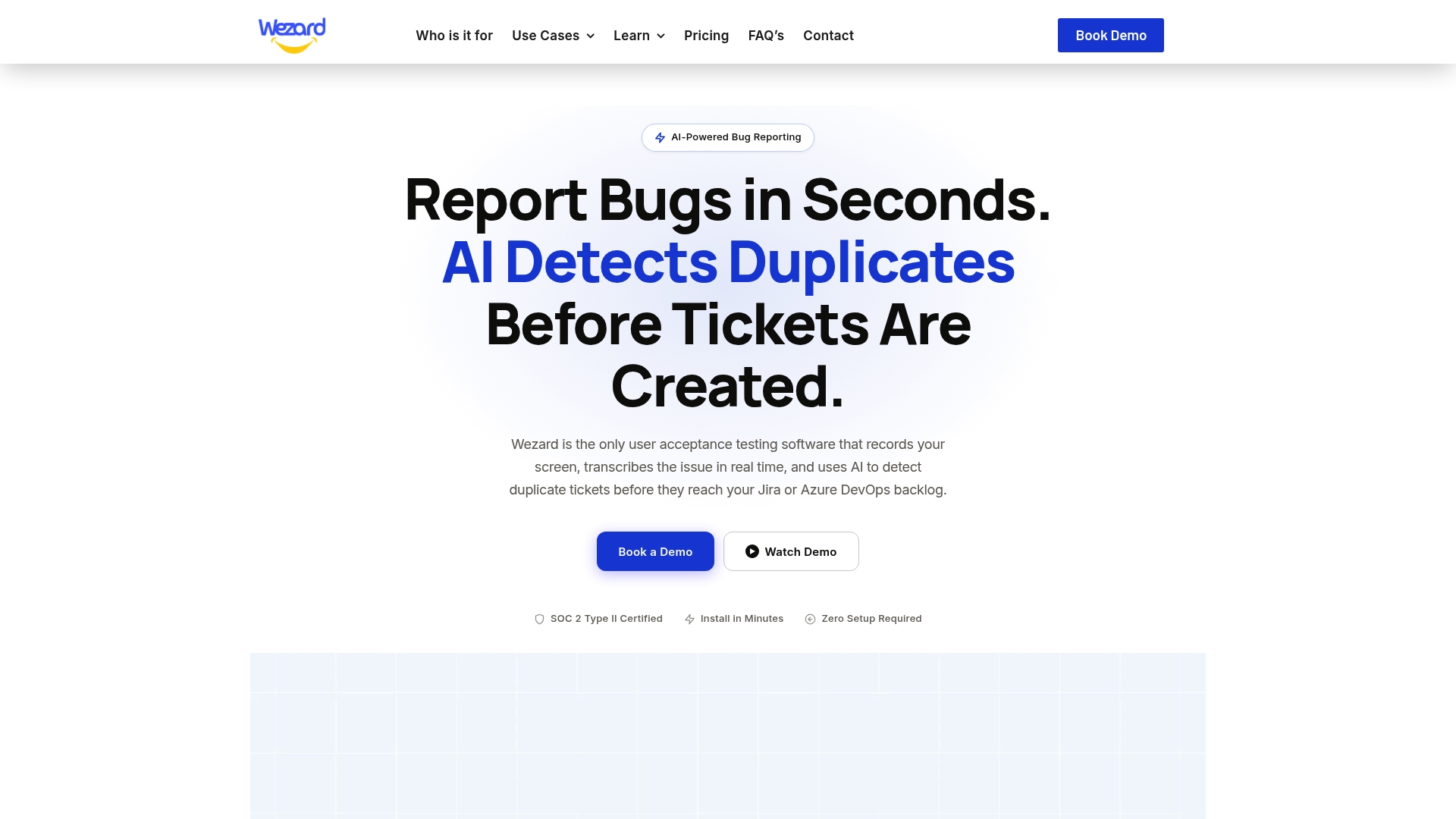
We also think duplicates and sensitive content have the same root cause: noise entering the backlog unchecked. Wezard’s AI checks for duplicate tickets before they reach Jira or Azure DevOps, so fewer redundant recordings end up circulating in the first place. Fewer recordings means fewer files to review, mask and retain. We are SOC 2 certified and support SSO, because a recording tool should meet the same security bar as the systems it reports on.
Marketing
Keep recordings, transcripts and tickets in one place
Wezard gives UAT teams screen recording, real-time transcription and voice or video ticket creation, with direct integration into Jira, Azure DevOps and ServiceNow. Testers describe the problem as they see it, the transcript is attached, and duplicates are flagged before the ticket lands in your backlog. Plans start at $25 per month for Starter, with Team at $70 per month and Business at $160 per month; Enterprise pricing is available on request. See the Wezard pricing page to compare them.
If you want to see how transcripts fit into a bug report, read about real-time bug transcription for UAT and editing transcripts for bug reports.
FAQ
Is muting the same as redacting?
Muting is one way to redact, but it is not the best one. SWGDE generally recommends a controlled, consistent tone over silence, except when several channels need independent redaction. Lowering the volume instead of fully replacing the audio is not redaction, because the words can sometimes be recovered with amplification.
How much padding should I add around a sensitive word?
Tool guides use about 150 milliseconds on each side, while Momentum’s tutorial recommends at least 500 milliseconds for call recordings to cover echo and timestamp error. Start with the wider margin for two-channel calls and numbers spoken digit by digit. Then listen to the result and adjust.
Can software redact audio automatically?
Yes. Typical systems transcribe the audio with word timestamps, detect sensitive entities in the text, map them to time ranges and mask those ranges. Automation can miss items when the transcript is wrong, so a person should review every output before release.
Do I need to redact the transcript and captions too?
Yes. Caption tracks and transcripts repeat the spoken words as text, so a redacted audio track with an unredacted transcript still leaks. Redact every text track and strip file metadata from the exported copy.
Should I keep the original recording?
Usually yes, in restricted storage with access logging and a defined retention period. Your legal or compliance team sets the period, because HIPAA, state law and contracts can all apply. The redacted copy is what you share.
Sources
- SWGDE Video and Audio Redaction Guidelines, version 2.3
- Amazon Transcribe audio redaction for PII
- Google Cloud Customer Experience Insights audio redaction
- Amazon Connect sensitive data redaction
- Momentum CR Admin Data Redaction tutorial
- Hala Protocol 2025-05
- Audio redaction services guide
- PII masking engineering use cases
- Cloud security and governance controls