A UAT change management process is the repeatable workflow that captures issues found during user acceptance testing, triages them by business impact, and pushes clean, evidence-backed tickets into your delivery backlog for fix, verification, and formal sign-off. It is not organizational change management. It is the operational discipline that keeps UAT findings from piling up as noise in your backlog or, worse, slipping into production unresolved.
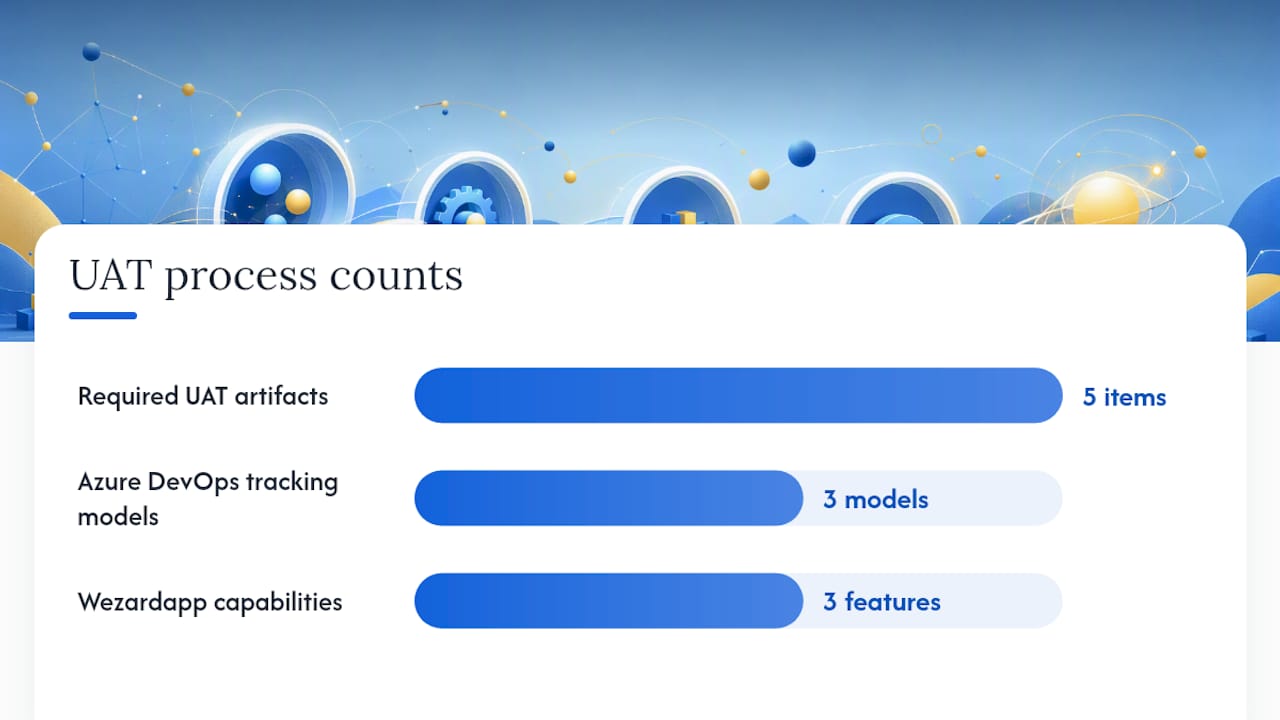
Every functioning version of this process needs these artifacts in place before UAT day one:
- A standard ticket with steps to reproduce, environment details, and a screen recording or transcript
- Separate severity (technical impact) and priority (business urgency) fields
- A named triage owner and a defined SLA for first triage
- A direct push path into Jira or Azure DevOps with no manual re-entry
- An acceptance checklist that gates closure
Atlassian’s bug triage guidance anchors the prioritization model here: business impact, not raw technical severity, drives the queue. Azure DevOps gives you three tracking models that change what shows up on your velocity chart and delivery plans. Wezardapp adds screen recording, real-time transcription, and AI duplicate detection before a single ticket reaches your backlog.
Key Takeaways
A UAT change management process works when capture, triage, and push-to-backlog are disciplined, tool-supported, and owned by named people with clear SLAs.
| Point | Details |
|---|---|
| Business impact drives priority | Separate severity from priority; triage against deadlines and core workflows, not raw technical damage. |
| Triage is a decision session | Fixed cadence, fixed quorum, two-minute timebox per ticket; no debugging in the triage meeting. |
| Ticket quality gates speed | Every ticket needs a recording, transcript, repro steps, and expected-versus-actual before triage. |
| Tracking model changes visibility | Azure DevOps bugs tracked as Requirements appear on velocity charts and delivery plans; Tasks do not. |
| Wezardapp automates the hardest parts | Screen recording, AI dedupe, and direct Jira/Azure DevOps push eliminate the three biggest triage bottlenecks. |
Table of Contents
- What does a UAT change management process look like step by step?
- Who owns what, and how fast must they act?
- How should you prioritize bugs without letting severity dominate?
- Which tracking model in Jira or Azure DevOps fits your UAT workflow?
- How do you keep the backlog clean and catch duplicates early?
- What should a reusable UAT ticket template include?
- Which KPIs tell you whether the process is working?
- What release gates and sign-off rules should you enforce?
- How do you stand this up in 30, 60, and 90 days?
- How Wezardapp fits into every stage of this process
- The trade-offs nobody talks about when enforcing strict UAT change control
- Wezardapp cuts triage time from day one
- Sources
What does a UAT change management process look like step by step?
The standard bug life cycle runs New → Assigned → Open → Fixed → Pending Retest → Retest → Verified → Closed. Separation of duties is non-negotiable: the developer who fixes a bug cannot be the person who closes it.
Capture. Accepted evidence includes a screen recording, real-time transcript, numbered repro steps, test data used, environment (browser, OS, build), and expected versus actual result. Anything missing at capture costs time at triage.
Triage. A short daily session with a fixed quorum (product, QA lead, one engineering representative) decides four things per ticket: real defect, duplicate, change request, or training gap. The session decides; it does not debug. Triage discipline with a fixed cadence and scope-limited agenda is the single highest-leverage process improvement available to most UAT teams.
Prioritize. Assign business priority separately from technical severity. A login failure for a rarely used admin role is high severity but may be low priority for this release. A cosmetic error on the checkout confirmation screen might be low severity but high priority if it erodes customer trust.
Assign → Fix → Verify. The engineering owner picks up the ticket, fixes it, and moves it to Pending Retest. QA retests against the original repro steps. The business user or UAT coordinator runs the acceptance scenario. Only after both pass does the ticket move to Verified.
Close. Verified means the fix works in the UAT environment. Closed means the business owner has confirmed acceptance and the ticket is recorded in the sign-off evidence pack. These are two distinct states.
| Stage | Who acts | Output |
|---|---|---|
| Capture | UAT tester | Ticket with recording, transcript, repro steps |
| Triage | Triage chair, QA lead, product | Classified ticket with severity, priority, owner |
| Fix | Engineering owner | Code change, PR linked to ticket |
| Verify | QA lead | Retest pass, ticket moved to Verified |
| Close | Business owner / UAT coordinator | Sign-off recorded, ticket Closed |
Who owns what, and how fast must they act?
Planned UAT with named participants and a published fix-and-retest cadence prevents the most common failure mode: tickets that sit unowned for days.
- UAT coordinator owns the triage agenda, SLA tracking, and the evidence pack.
- Business owner/approver sets priority, approves deferrals, and signs final acceptance.
- QA lead chairs triage, owns the retest queue, and flags escape risk.
- Engineering owner accepts assigned tickets and commits to fix-by dates.
- Release manager holds the release gate and approves any exception to exit criteria.
SLAs that work in practice: first triage within 24 hours of capture; assignment within 48 hours of triage; retest turnaround within one business day during active UAT. Escalation path: unresolved P0/P1 tickets go to the release manager at the 48-hour mark.
Decision rights matter as much as SLAs. The release manager can block a release. The business owner can formally accept a deferral. No one else can do either.
How should you prioritize bugs without letting severity dominate?
Atlassian recommends prioritizing against deadlines and core workflows, not treating every high-severity finding as equally urgent. The practical rule: severity describes the technical damage; priority describes the business urgency. They are separate fields and they often disagree.
A useful severity vs. priority framework factors four inputs:
- Business impact (revenue, compliance, core workflow)
- User count affected
- Workaround availability
- Release risk (is this in a critical path feature?)
| Severity | Priority | Example | Action |
|---|---|---|---|
| High | High | Checkout fails for all users | Fix before release |
| High | Low | Admin bulk-export crashes | Defer with owner and date |
| Low | High | Wrong label on primary CTA | Fix before release |
| Low | Low | Tooltip typo on settings page | Backlog, no SLA |
Pro Tip: Set a triage guardrail: any ticket marked “Deferred” must have a named owner and a review date. Without both fields required, deferred becomes a graveyard. Enforce this at the tool level, not by convention.
Daily triage cadence during active UAT is non-negotiable. Timebox each ticket to two minutes. If a decision requires investigation, assign an owner and move on. The session is a decision queue, not a debugging room.
Which tracking model in Jira or Azure DevOps fits your UAT workflow?
Azure DevOps offers three bug-tracking options: track bugs as Requirements, as Tasks, or manage them via Queries. The choice changes what appears on your velocity chart, cumulative flow diagram, and delivery plans.
- Track as Requirements: bugs appear on the backlog, in sprint planning, on velocity charts, and in delivery plans. Best for teams that need full forecasting visibility on UAT findings.
- Track as Tasks: bugs attach to parent stories but stay off the main backlog. Useful when UAT findings are small fixes tied to known features.
- Manage via Queries: bugs sit outside the board entirely. Works only for teams with very low UAT defect volume and no forecasting need.
For Jira, the minimum viable setup for UAT includes explicit Retest and Verified workflow states, separate severity and priority fields, and a link between each ticket and the commit or PR that resolves it. Linking commits, branches, PRs, and deployment events to issues gives you full traceability from UAT finding to production deploy.
Velocity charts and cumulative flow diagrams are only meaningful if bugs are tracked as Requirements in Azure DevOps. Teams that skip this configuration lose the ability to forecast release risk from UAT findings.
For a deeper look at Azure DevOps configuration, the Azure DevOps bug reporting guide covers field setup and triage automation rules in detail.
How do you keep the backlog clean and catch duplicates early?
Ticket quality and duplicate control are the two fastest ways to cut triage time. A ticket that arrives with a recording, a transcript, numbered repro steps, and a clear expected-versus-actual result takes roughly 90 seconds to triage. One without evidence can consume the entire session.
Ticket quality checklist:
- Summary: one sentence, component + symptom
- Environment: browser, OS, build number
- Steps to reproduce: numbered, specific
- Expected result and actual result: explicit
- Screen recording and transcript attached
- Severity and suggested priority pre-filled by reporter
Duplicate detection. Human triage cues: same component, same symptom description, same repro path. AI-assisted approaches use title similarity thresholds and component tagging to flag potential duplicates before a ticket reaches the backlog. Wezardapp’s AI duplicate detection runs this check automatically at submission, before the ticket ever enters Jira or Azure DevOps.
Pro Tip: Link duplicates rather than deleting them. The duplicate ticket often contains a different repro path or environment detail that adds context to the parent. Merge the evidence; keep the trail.
Weekly backlog hygiene: sweep for stale deferred items, confirm owners are still valid, and surface tickets with no activity in 14 days. Track duplicate rate as a metric. A rising duplicate rate signals either poor ticket quality at capture or insufficient triage frequency.
What should a reusable UAT ticket template include?
Structured bug reports with required fields cut triage time and reduce reopens. Every ticket submitted during UAT should require these fields:
| Field | Why it matters |
|---|---|
| Summary | One-line searchable description for dedupe |
| Component | Routes ticket to the right engineering owner |
| Environment | Confirms reproducibility scope |
| Steps to reproduce | Enables independent verification |
| Expected vs. actual result | Defines the acceptance bar |
| Recording link | Eliminates ambiguity at triage |
| Transcript snippet | Searchable text for AI dedupe |
| Severity | Technical impact rating |
| Suggested priority | Business urgency from the reporter’s view |
| Reporter | Accountability and follow-up contact |
| Triage owner | Named person responsible for first decision |
Acceptance checklist (run at triage and retest):
- Is it reproducible in the UAT environment?
- Is it a duplicate of an existing open ticket?
- What is the business impact and workaround status?
- Has the fix been verified by QA and accepted by the business user?
Which KPIs tell you whether the process is working?
A functioning UAT process requires a traceability matrix and a daily triage loop during active UAT windows. The metrics that reveal process health:
- Time-to-triage: target under 24 hours from capture
- Time-to-resolve: P0/P1 under 48 hours; P2 within the sprint
- Duplicate rate: rising rate signals capture quality problems
- Reopen rate: measures fix quality and retest rigor
- Escape rate: defects found in production that passed UAT
- Backlog size trend: flat or shrinking during UAT; rising signals triage breakdown
Dashboard setup: a velocity chart (bugs as Requirements in Azure DevOps), a cumulative flow diagram showing ticket state distribution, and a daily triage board filtered to New and Pending Retest. Alert threshold: any P0 ticket unassigned for more than 24 hours triggers an escalation notification to the release manager.
What release gates and sign-off rules should you enforce?
UAT exit criteria should require: all planned scenarios executed, all critical and high defects verified or formally deferred with owner and date, and written sign-off from the accepting authority.
Minimum exit criteria for release:
- Zero open P0 tickets
- All P1 tickets either fixed-and-verified or formally deferred with a named owner, a remediation date, and a risk acceptance statement
- Scenario pass rate at or above the agreed threshold
- Evidence pack complete (ticket list, retest results, sign-off record)
The release manager holds the gate. The business owner signs acceptance. An exception document for any deferred P1 must name the risk, the owner, the remediation date, and the approver. No verbal exceptions.
For late-breaking critical findings, the decision rubric is: Can the release proceed safely with a documented workaround? If yes, defer with full documentation. If no, pause the release and set a 24-hour remediation window before re-evaluation.
How do you stand this up in 30, 60, and 90 days?
Days 1–30: Define roles and assign a UAT coordinator. Agree on the standard ticket template and required fields. Set the triage cadence (daily during UAT, weekly outside it). Confirm UAT environment readiness and seed realistic test data.
Days 31–60: Integrate with Jira or Azure DevOps. Configure tracking-as-Requirements if you need velocity and delivery plan visibility. Run a pilot UAT cycle. Tune duplicate detection thresholds. Stand up the dashboard (velocity chart, cumulative flow, triage board).
Days 61–90: Full rollout across all UAT cycles. Measure KPIs against baselines. Run weekly backlog hygiene rituals. Conduct a retrospective: what slowed triage, what caused reopens, where did duplicates originate? Lock the improvements into the process doc.
How Wezardapp fits into every stage of this process
Wezardapp maps directly to the three highest-friction points in the workflow.
- Capture: Wezardapp records the screen and transcribes the issue in real time, so every ticket arrives with a recording link and a searchable transcript. Reporters submit via voice or video without writing a single line.
- Triage: AI duplicate detection runs before the ticket reaches the backlog. Potential duplicates are flagged with a similarity score, so the triage session starts with a clean queue rather than spending the first ten minutes on deduplication.
- Push to backlog: Direct integrations with Jira and Azure DevOps push the full ticket, including recording, transcript, severity, and suggested priority, in one action. No copy-paste, no lost context.
Wezardapp also supports guided ticket submission, screenshot and file attachments, feedback tracking, and enterprise SSO, which matters when your UAT participants are business users rather than trained testers.
The trade-offs nobody talks about when enforcing strict UAT change control
The tension that surfaces in every UAT cycle: speed versus evidence. Teams under release pressure want to skip the recording and just describe the bug verbally. That saves two minutes at capture and costs twenty at triage, because the developer cannot reproduce it without calling the tester back.
The other real trade-off is strict triage discipline versus developer context. Developers often want to join triage to explain why a bug is harder than it looks. That is valuable context, but it turns a 30-minute decision session into a 90-minute debugging meeting. The fix: timebox every ticket to two minutes at triage. If a ticket needs engineering context, assign an owner for a 15-minute follow-up outside the session. The triage meeting decides; it does not solve.
Automation handles the obvious cases well. AI dedupe catches title-level duplicates reliably. It misses functional duplicates where the same root cause surfaces through two different repro paths. Human triage still owns that judgment call. The right model is automation for volume, human review for edge cases.
Wezardapp cuts triage time from day one
UAT teams that already have Jira or Azure DevOps configured still lose hours every cycle to low-quality tickets, duplicate triage, and manual copy-paste into the backlog. Wezardapp eliminates all three. Screen recording and real-time transcription mean every ticket arrives with full evidence. AI duplicate detection clears the queue before triage starts. One-click push sends the complete ticket, recording included, directly to your UAT backlog.

Start a trial at wezardapp.com or follow the Jira integration guide to push your first UAT ticket in under five minutes.
Sources
- Bug triage | Atlassian Agile coach
- Manage bugs in backlogs and boards – Azure DevOps
- Software Bug Life Cycle: All Defect States Explained