A test case is a documented specification containing inputs, execution conditions, and expected outcomes used to verify that a specific software feature works as intended. The IEEE definition aligns with this: a test case captures the exact conditions under which a tester evaluates software behavior, producing a clear pass or fail result. Every serious QA practice, from unit testing to user acceptance testing, relies on well-structured test cases to produce consistent, repeatable results. Without them, testing becomes guesswork, and defects reach production.
What is a test case made of? Core components explained
A professional test case contains seven standard fields: Test Case ID, Title, Preconditions, Steps, Test Data, Expected Results, and Actual Results, plus a Status field. Each field serves a specific purpose. The ID makes the case traceable. The Title summarizes the scenario in plain language. The Steps tell the tester exactly what to do. Together, these fields enable reproducibility, clarity, and traceability across the entire QA lifecycle.
Preconditions deserve special attention. Skipping them is one of the most common mistakes in test case writing. A precondition defines the exact system state required before the test begins. For example, a login test case might require a valid user account, an active session token, and a cleared browser cache. Ignoring preconditions causes false defect reports because the system was never in the correct state to begin with.

Expected results must be specific and observable. A result like “the system works correctly” is not acceptable. Instead, write “the user receives a confirmation email within 30 seconds and is redirected to the dashboard.” Vague expected results signal ambiguity in the underlying requirements, which means the product team needs to clarify the specification before testing begins.
A traceability matrix links each test case to a specific requirement. This connection proves that every requirement has been tested and gives project managers a clear picture of coverage. Without traceability, teams cannot confidently say a feature is fully validated.
Pro Tip: Build your traceability matrix as you write test cases, not after. Retrofitting traceability to a completed test suite takes far longer and often reveals gaps that are expensive to fix late in the cycle.
Here are the core fields every test case template should include:
- Test Case ID: A unique identifier for tracking and reference
- Title: A one-line description of what the test verifies
- Preconditions: System state, user roles, data, and environment required before execution
- Steps: Numbered, sequential actions the tester performs
- Test Data: Specific inputs used during execution (usernames, values, file types)
- Expected Result: The exact, observable outcome if the software works correctly
- Actual Result: What the software actually produced during execution
- Status: Pass, Fail, Blocked, or Not Executed
How do test cases differ from test scenarios and test plans?
These three terms appear together constantly in QA documentation, and confusing them creates real problems in project workflows. Each concept operates at a different level of detail and serves a different purpose.
| Concept | Scope | Level of detail | Primary use |
|---|---|---|---|
| Test plan | Entire project or release | High level | Defines strategy, scope, resources, and schedule |
| Test scenario | Single feature or user flow | Medium level | Describes what to test without specifying how |
| Test case | Single condition or input | Granular | Specifies exact steps, data, and expected results |
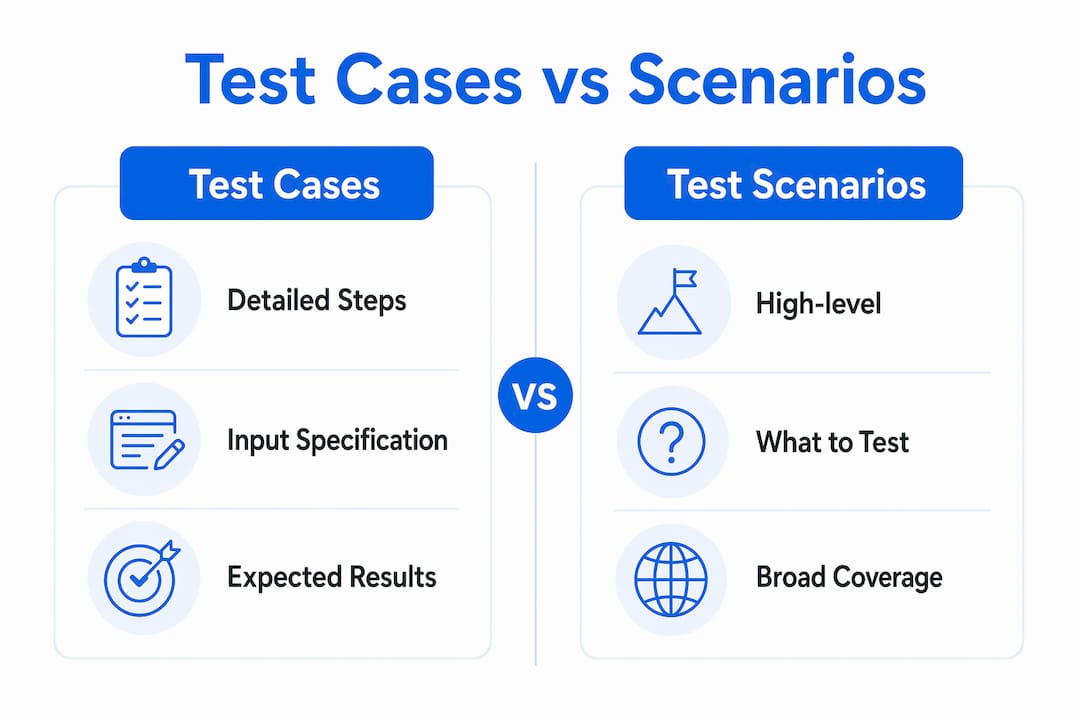
A test scenario answers the question “what should we test?” For example: “Verify that a user can log in with valid credentials.” A test case answers “how exactly do we test it?” It specifies the exact username, password, browser version, and the precise expected outcome. UAT test scenarios for QA teams typically generate multiple test cases each, covering different data inputs and edge conditions.
A test plan sits above both. It defines the overall testing approach for a release: which features to test, which testing types to apply, who is responsible, and what the entry and exit criteria are. Test plans reference test scenarios and test cases but do not contain the granular execution detail.
The practical rule: write test scenarios first to map coverage, then derive test cases from each scenario to specify execution. This top-down approach prevents gaps and avoids writing redundant cases for the same condition.
What are best practices for writing effective test cases?
The single most important rule in test case writing is coverage: standards recommend at least two test cases per requirement), one positive and one negative. The positive case (often called the happy path) confirms the feature works under normal conditions. The negative case (the unhappy path) confirms the system handles errors, invalid inputs, and edge conditions correctly.
Writing outcome-focused test cases rather than click-by-click instructions produces better results with experienced testers. A step that reads “verify the user cannot submit the form without a required field” is more useful than “click the Submit button, observe the error message, note the text.” Outcome-based test cases let skilled testers apply professional judgment during execution, which improves efficiency without sacrificing accuracy.
Test cases also need regular maintenance. Software changes constantly, and a test case written for version 1.0 may be misleading or wrong by version 2.0. Maintaining test cases as living documents that evolve with the software keeps the test suite relevant and prevents regression testing from producing false confidence. Review your test cases at every sprint boundary or major release.
Here are the most common pitfalls to avoid:
- Writing vague expected results. “The page loads” is not a result. “The product listing page loads within 2 seconds and displays 20 items” is.
- Skipping preconditions. Every test case needs a defined starting state. A missing precondition is a future false defect report waiting to happen.
- Testing only the happy path. Bugs hide in edge cases and error flows. Always write at least one negative test case per requirement.
- Overloading a single test case. One test case should verify one condition. Combining multiple scenarios into one case makes failures hard to diagnose.
- Ignoring test data. Specify exact inputs. “Enter a valid email” is ambiguous. “Enter test@example.com” is not.
- Never updating old cases. Stale test cases produce misleading results. Schedule regular reviews tied to release cycles.
Pro Tip: When you struggle to write a clear expected result, stop writing the test case and go back to the requirement. A fuzzy expected result almost always means the requirement itself is incomplete. Fixing the requirement first saves hours of rework later.
The UAT test case writing best practices guide covers additional techniques for keeping test cases maintainable across long-running projects, including tagging strategies and modular step libraries.
How are test cases applied in real QA and project workflows?
Test cases are the operational backbone of quality validation. They are not just documentation. They are executable instructions that produce measurable evidence of software quality. Test case documentation enables consistent results across different testers and across multiple software versions, which is critical when teams rotate or scale.
Regression testing is the most common application. Formal test cases facilitate regression testing) by enabling repeatable execution of the same scenarios after every code change. This systematic approach verifies that new code has not broken existing functionality. Without documented test cases, regression testing relies on memory and tribal knowledge, both of which degrade over time.
Test cases also connect directly to acceptance criteria and requirements management. A well-maintained traceability matrix shows exactly which requirements have passing test cases and which do not. Project managers use this data to make release decisions with confidence rather than guesswork.
The practical benefits of a well-maintained test case library include:
- Consistent execution: Any tester on the team can run the same case and produce the same result
- Defect traceability: A failing test case points directly to the requirement it covers, speeding up root cause analysis
- Onboarding speed: New team members can understand system behavior by reading test cases, not just code
- Audit readiness: Regulated industries require documented evidence of testing; test cases provide that record
- Release confidence: A full pass rate across the test suite gives stakeholders objective evidence that the software is ready
Regression testing in UAT shows how these principles apply across real-world release cycles, including how teams prioritize which cases to run when time is short.
Key Takeaways
A test case is the most granular and executable unit of software testing documentation, and its quality directly determines the reliability of your QA results.
| Point | Details |
|---|---|
| Core definition | A test case specifies inputs, preconditions, steps, and expected results for one testable condition. |
| Two cases per requirement | Write at least one positive and one negative test case for every requirement to achieve full coverage. |
| Preconditions prevent false defects | Always define the exact system state before execution to avoid misleading failure reports. |
| Living documents | Update test cases at every release cycle to keep them aligned with current software behavior. |
| Traceability drives decisions | Link every test case to a requirement so project managers can make release decisions with evidence. |
The part of test case writing most teams get wrong
Most QA teams treat test case writing as a one-time task. They write the cases before a release, run them once, and file them away. That approach works exactly once. By the second release, the software has changed, the test cases have not, and the team is testing against a description of software that no longer exists.
The teams I have seen produce the most reliable QA results treat their test case library the way a good engineering team treats code: with version control, regular reviews, and a clear owner for each section. They also resist the urge to write exhaustive click-by-click steps for every case. Experienced testers do not need to be told to click a button. They need to know what outcome to verify and what counts as a pass.
The other overlooked element is the negative test case. Teams write happy path cases first, run out of time, and ship without testing error flows. Those are exactly the paths real users hit when something goes wrong. A login form that crashes on an empty password field is a production bug that a single negative test case would have caught in ten seconds.
Treat your test cases as the contract between your QA team and your product requirements. When that contract is clear, specific, and current, your testing produces evidence. When it is vague, outdated, or incomplete, your testing produces noise.
— Marketing
How Wezardapp fits into your test case workflow
Writing strong test cases is only half the equation. The other half is capturing what happens when they fail.

Wezardapp is the only user acceptance testing tool that records your screen, transcribes the issue in real time, and uses AI to detect duplicate tickets before they reach your Jira or Azure DevOps backlog. When a test case fails, Wezardapp captures the exact context automatically, so your developers receive a complete, reproducible bug report without the tester writing a single line of description. For teams building out their acceptance criteria and test case process, Wezardapp closes the gap between documentation and execution. See how it works at wezardapp.com/uat-testing.
FAQ
What is a test case in software testing?
A test case is a documented set of inputs, preconditions, execution steps, and expected results designed to verify that a specific software feature works correctly. It produces a clear pass or fail outcome that can be repeated by any tester.
How many test cases should I write per requirement?
Industry standards recommend at least two test cases per requirement: one positive case that confirms correct behavior and one negative case that confirms the system handles errors and invalid inputs correctly.
What is the difference between a test case and a test scenario?
A test scenario describes what to test at a high level, while a test case specifies exactly how to test it, including precise steps, data, and expected results. One test scenario typically generates multiple test cases.
Why are preconditions important in a test case?
Preconditions define the exact system state required before a test runs. Skipping them causes false defect reports because the system was never set up correctly, making it impossible to know whether the software or the setup caused the failure.
What makes a test case ineffective?
A test case becomes ineffective when it contains vague expected results, missing preconditions, or outdated steps that no longer match the current software. Regular review and specific, observable outcomes are the two most important factors in keeping test cases useful.