
Cross-team bug reporting works when one team can file an issue that another team can reproduce, rank and own without a single follow-up question. That takes three things: a report with the same fields every time, a routing rule that names who owns the next action, and evidence captured at the moment the bug happens. Wezard records the screen, transcribes the reporter’s voice in real time and flags duplicates before a ticket reaches Jira or Azure DevOps, so the report arrives complete and the backlog stays clean.
TL;DR
- Use one report template for every team: a single-problem title, expected versus actual behavior, numbered steps, environment and evidence.
- Route by asking “who owns the next action?”, and update the owner the moment work moves.
- Keep severity (impact) and priority (urgency) as separate fields so labels keep their meaning.
- Show all teams the same issues, either on one shared board or through filters on a shared field.
- Capture a screen recording with narration at the source, and check for duplicates before filing.
Table of Contents
- What cross-team bug reporting means
- What a cross-team report must contain
- Standardize before you scale
- Route the bug and name an owner
- Shared board or separate boards?
- Compare impact and urgency the same way everywhere
- Stop bounces and duplicates
- A workflow you can start this sprint
- Wezard plans
- FAQ
- Sources
What cross-team bug reporting means
A cross-team bug is one that is found by one group and fixed by another. A business user finds it in UAT (user acceptance testing, the final check that software works for the people who will use it), a QA analyst confirms it, and a developer on a different squad owns the code. Every handoff is a chance to lose context.
The problem is often the tooling boundary. InfoQ authors Manuel Pais and Matthew Skelton describe how separate issue trackers act as a wall between teams: when production incidents sit in a tracker Development cannot see, developers learn what failed but not why or how, and fixes come out incomplete. Their remedy is shared visibility, ideally one tool or at least a common search over all tickets.
Use a shared reporting workflow whenever the person who finds the bug is not the person who fixes it. That describes nearly every UAT cycle.
What a cross-team report must contain
The reader of your report has less context than you do. Write for someone who has never seen your screen.
A complete report carries these fields, drawn from Zoho’s QA guidance, which lists title, steps to reproduce, expected behavior, actual behavior, environment, severity, priority and supporting evidence:
- Title: one problem, stating what broke and where. “Checkout button unresponsive after applying promo code” works. “Checkout issue” does not.
- Expected and actual behavior: one sentence each, stated as fact, without guessing the cause.
- Numbered steps from a known state: include URLs, menus and clicks. Note how often it happens if it is intermittent.
- Environment: product version, operating system, browser and version. Accusoft’s engineering guidance also asks for error messages, console screenshots and the last version where the problem did not occur.
- Evidence: a screenshot, or for UI problems a recording.
- Severity and proposed priority: see the section below.
Why recordings beat paragraphs
Full Scale’s guide argues that a 60-second narrated screen recording beats three paragraphs of description because it captures details the reporter did not know mattered. That matters most across teams: the reporter is rarely the person who knows which detail the fixer needs.
This is where capture tooling pays off. In Wezard, a tester records the screen and speaks; the issue is transcribed in real time and turned into a ticket with the recording attached. Business users do not have to write reproduction steps from memory. For a closer look at what to verify in a transcript, see our guide to real-time bug transcription for UAT, and for when to choose each format, screenshot vs video bug reports.
Standardize before you scale
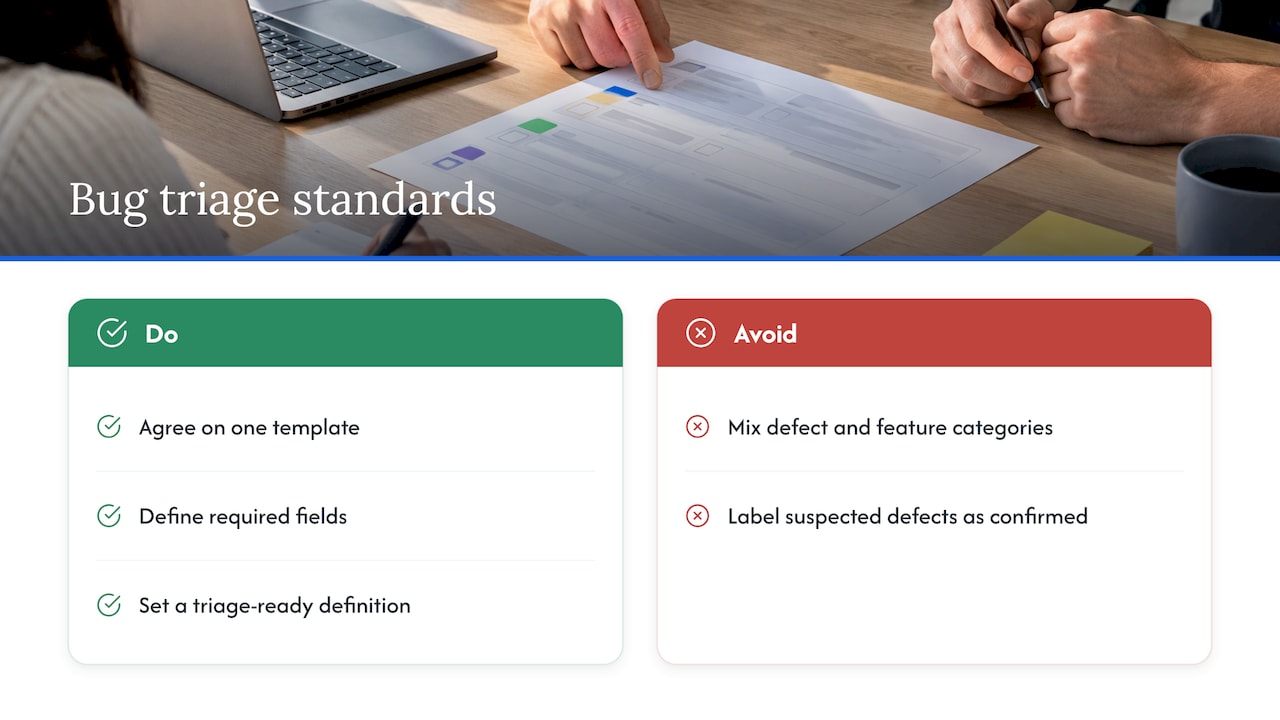
Two teams with two templates produce two kinds of bug. Agree on one template, one set of required fields and one definition of “ready to triage”. The onpointserv Jira workflow guide suggests that a bug should not leave the Open status until it has reproduction steps, environment and expected-versus-actual behavior.
Categories need the same discipline. A confirmed defect, a suspected defect, behavior that is merely confusing and a feature request each need a different route. ExpertBeacon’s support-to-engineering guidance notes that mixing them is a common reason reports bounce, and that an honest “suspected” label protects the reporter’s credibility more than an overconfident “confirmed”.
If your testers write in different styles, our walkthrough on standardizing bug reporting across testers covers the template side in detail. Guided ticket submission in Wezard walks the reporter through the fields, so required information is not skipped.
Route the bug and name an owner
Most cross-team delays are ownership delays. Three habits fix them.
Tag both teams when unsure. Intercom’s engineering team recommends labeling cross-team bugs with the severity level, the impacted product team (both, if in doubt, plus a notice in that team’s chat channel), how often customers hit it and the likely cause.
Ask who owns the next action. Oleg Sotnikov suggests asking who owns the next action rather than who owns the bug forever, updating the owner in the tracker the moment work moves and telling the previous owner. That stops two teams from working the same bug, or neither.
Write a standard handoff note. The same source proposes a fixed format: class, impact, scope, evidence, next owner and next action. A ticket that carries these never restarts at the handoff.
When teams track defects through a lifecycle, give each state one named owner. QAPractices lists nine states, from New through Verified and Closed, plus Rejected and Reopened, with a single responsible role for each.
If you want to see how a team can keep the handoff clean at the workflow level, this operations guide on managing website updates shows the same principle of an accountable owner at every stage.
Shared board or separate boards?
You do not have to choose. The Ariel Partners case study of a Department of Defense Jira setup uses a single shared backlog with a separate board per team, each filtered on a Component field. Assigning an issue to a team means setting its component.
The SKA Observatory takes a related approach in its bug-reporting documentation: system-level bugs that affect several teams go to a shared Jira project, while team-level bugs stay in the team’s own project. Reproduction instructions and logs are required before triage.
| Approach | Best when | Watch for |
|---|---|---|
| One shared board, team field | Many small teams, frequent overlap | Needs a disciplined component field |
| Shared backlog, per-team boards | Several squads on one product | Component rules must route automatically |
| Shared project for cross-team bugs only | Mostly independent teams | Clear rule for what counts as cross-team |
For a view that combines cross-team visibility with focused team work, this piece on dropping rigid roadmaps is a good companion read on keeping teams aligned.
Compare impact and urgency the same way everywhere
Severity is how much damage the bug does. Priority is how soon the business needs it fixed. TechFitFlow’s Jira defect guide recommends keeping them as separate dimensions, setting priority from users affected, business function impaired, workaround availability and proximity to a release, and avoiding label inflation: when 40% of a backlog is marked Critical, the label stops meaning anything.
When several teams share a queue, write the definitions down once. SKA, for example, defines severity by impact on functionality or data and maps priority to fix timescales. Our own guide to bug severity vs priority gives worked examples, and UAT bug triage shows how to sort and close feedback.
Triage cadence
QAPractices suggests triage daily during an active release, twice a week in normal sprints and weekly in maintenance, with bugs open longer than two weeks and stuck critical items on the agenda. Our defect triage process breaks the outcomes down.
Stop bounces and duplicates
Rex Black Inc. frames ping-pong between test and engineering (“can’t reproduce”, “not my component”) as a process breakdown rather than a people problem. Their practical rules: reproduce three times before filing, note intermittence precisely (for example, twice out of three attempts), change one variable at a time and have a peer review the report. They also report duplicate rates of 5 to 10 percent as normal, with about five minutes spent searching for duplicates.
With many teams testing the same release, duplicates climb because everyone sees the same bug. Wezard’s AI checks incoming reports against existing ones before they reach your Jira or Azure DevOps backlog, and we have found it reduces duplicate noise by up to 40% compared with manual processes. Console logs and session context help here too: see stopping duplicate tickets with console logs and preventing duplicate Jira tickets at capture.
A workflow you can start this sprint
- Agree one template and the required fields.
- Capture evidence at the moment of failure, with narration.
- Check for existing reports before filing.
- Set severity at triage and priority with the business owner.
- Route by component, tag both teams when in doubt, and name the next-action owner.
- Write the handoff note in a fixed format.
- Review stuck and aging bugs at every triage meeting.
If your teams use Jira or Azure DevOps, integrating UAT with Jira and Azure DevOps covers the connection.
Our view
Cross-team bugs fail at the first minute, not the last. A reporter who is not an engineer is asked to describe a problem in written fields they do not understand, so the details that matter get left out and the ticket bounces.
We built Wezard around that moment. The tester records the screen and talks through the issue, the transcript is written as they speak, and the ticket lands in Jira, Azure DevOps or ServiceNow already enriched. Because duplicates are detected before they reach the backlog, every team sees one ticket per problem instead of five.
That is what shared ownership needs: complete evidence on arrival, one record per bug, and no tooling wall between the people who find issues and the people who fix them.
Marketing
Wezard plans
Wezard offers Starter at $25 per month, Team at $70 per month and Business at $160 per month, plus an Enterprise plan with SSO and enterprise-grade security (SOC 2 certified) and no published price. Compare them on the pricing page, or see how the AI bug tracking tool creates Jira tickets from reports.
FAQ
Who should own a bug that touches two teams?
The owner is whoever holds the next action, not whoever is guilty. Tag both teams, name one person for the next step, and update the owner when the work moves.
Should severity and priority be one field?
No. Severity measures impact and priority measures business urgency. Splitting them keeps labels meaningful when many teams rank bugs together.
What is the minimum a cross-team report needs?
A single-problem title, expected versus actual behavior, numbered steps, environment details and evidence such as a recording. Without these, the report is likely to bounce.
How do we avoid duplicate tickets across teams?
Search before filing, and let the reporting tool check for matches at capture. Wezard flags likely duplicates before they reach your backlog.
Sources
- The Divisive Effect of Separate Issue Tracking Tools, InfoQ
- Bug life cycle in software testing, Zoho
- Bug Reporting, Accusoft
- How to Write a Bug Report, Full Scale
- From Customer Complaint To Engineering-Ready Bug Report, ExpertBeacon
- How to Build a Jira Bug Tracking Workflow, onpointserv
- The good way to file a bad bug, Intercom
- Error classification for support, ops, and engineering
- Defect Management Process, QAPractices
- Configuring Jira For Maximum Agility: A DoD Case Study
- Reporting and Management of Bugs, SKA Observatory
- How to Create a Defect in Jira, TechFitFlow
- The Bug Reporting Process, Rex Black Inc.