
For enterprise QA teams that need more than crash logs, Wezardapp is the recommended Instabug alternative. It combines screen recording, real-time AI transcription, and automatic duplicate-ticket detection with direct Jira, Azure DevOps, and ServiceNow integration — the exact stack enterprise UAT workflows depend on.
Four reasons it earns the top spot:
- Screen recording + real-time AI transcription: Every session captures a full visual replay and auto-generates a written issue description, so testers never write tickets manually.
- Duplicate detection before the backlog: AI flags redundant reports before they hit Jira or Azure DevOps, cutting triage noise at the source.
- Direct backlog integration: Auto-creates Jira tickets from AI-identified bug reports; Azure DevOps and ServiceNow sync follows the same pattern.
- Enterprise security and SSO: Audit logs, data residency options, and SSO/SAML support are built in, not bolted on.
If your primary need is large-scale crash telemetry or full-stack application performance monitoring, a dedicated APM or crash-only tool may serve you better. For structured UAT with AI-driven triage, Wezardapp is the right call.
Table of Contents
- How do the top Instabug alternatives compare?
- How to choose the right Instabug alternative for enterprise UAT
- Why Wezardapp is the recommended pick for enterprise UAT
- Short profiles: other viable Instabug alternatives
- Migration checklist: moving from Instabug to a new provider
- How much should you customize feedback triggers?
- How do customer support and SLAs compare across these tools?
- Can these tools handle enterprise-scale load?
- What do enterprise teams actually say about these tools?
- How stable are these vendors, and how often do they ship updates?
- Key Takeaways
- Why the “best alternative” question is harder than it looks
- Wezardapp: the practical next step for enterprise UAT teams
- Further reading and sources used to build this shortlist
How do the top Instabug alternatives compare?
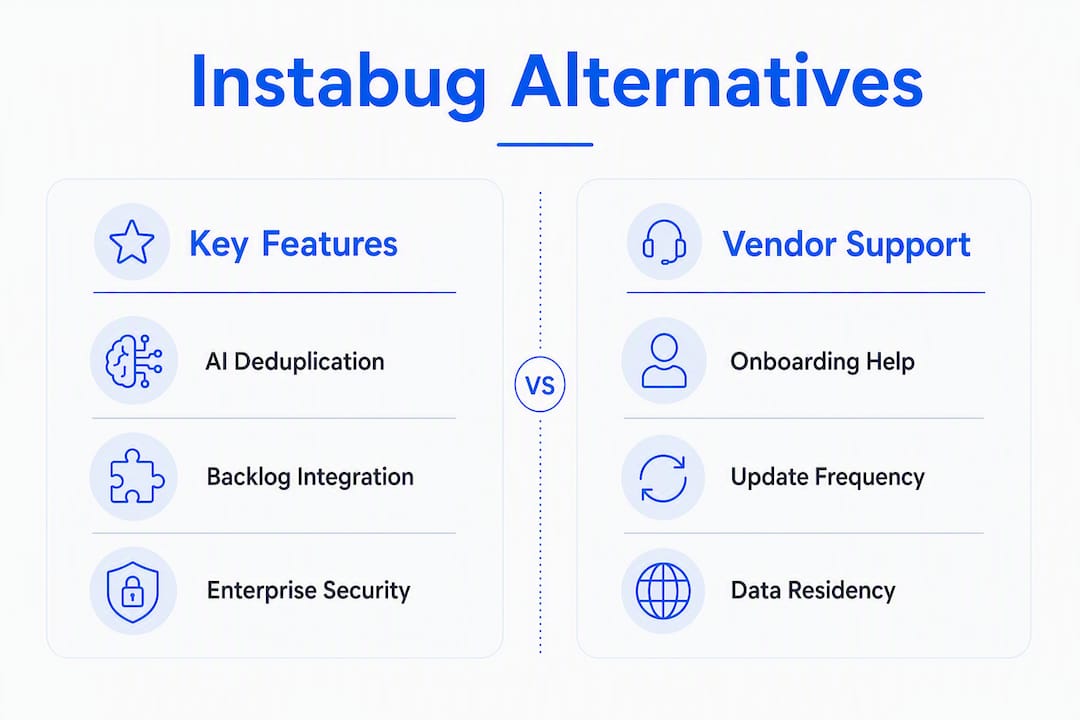
Enterprise buyers typically shortlist 2–3 tools before committing, and the decision usually hinges on a handful of dimensions: platform coverage, repro data quality, AI features, backlog integrations, and enterprise controls. The table below maps those dimensions across the seven tools this article covers.

| Tool | Best for | Platform support | Repro data & screen recording | AI features | Backlog integrations | Enterprise features | Pricing & trial |
|---|---|---|---|---|---|---|---|
| Wezardapp | Enterprise UAT with AI triage | iOS, Android, Web | Full screen recording + real-time AI transcription | Transcription, duplicate detection, guided submission | Jira, Azure DevOps, ServiceNow | SSO/SAML, audit logs, data residency | Paid plans; demo available |
| Sentry | Full-stack error monitoring & APM | iOS, Android, Web, Server | Stack traces, breadcrumbs | Error grouping, performance insights | Jira, GitHub, Azure DevOps | SSO, SCIM, SOC 2 | Free tier; paid plans |
| Bugsnag | Crash stability monitoring | iOS, Android, Web | Stack traces, session replay (select plans) | Error grouping, release health | Jira, GitHub, Slack | SSO, SOC 2 | Free tier; paid plans |
| Firebase Crashlytics | Mobile crash reporting at scale | iOS, Android | Crash logs, ANR reports | Crash clustering | Firebase ecosystem only | Google Cloud IAM | Free (Firebase) |
| Marker.io | Visual web feedback & QA annotation | Web (browser extension) | Annotated screenshots, console logs | Basic deduplication | Jira, Trello, Asana, GitHub | SSO (select plans) | Free tier; paid plans |
| Usersnap | In-app visual feedback & NPS | Web, iOS, Android | Annotated screenshots, screen recording | Basic categorization | Jira, Azure DevOps, Slack | SSO, GDPR-ready | Free trial; paid plans |
| Raygun | APM + crash reporting for dev teams | iOS, Android, Web | Stack traces, affected users | Error grouping, deployment tracking | Jira, GitHub, Slack | SSO, SOC 2 | Free trial; paid plans |
Quick read: Wezardapp is the only tool in this group that combines real-time transcription, AI deduplication, and guided UAT submission in a single SDK. Sentry and Raygun go deeper on APM. Firebase Crashlytics wins on mobile crash volume at zero cost. Marker.io and Usersnap focus on visual web feedback rather than structured UAT.
How to choose the right Instabug alternative for enterprise UAT
The criteria that matter most for enterprise UAT are, in priority order: AI triage and deduplication quality, integration fidelity with Jira or Azure DevOps, non-intrusive SDK controls, data residency and SSO, and vendor SLA. High-performing QA teams consistently prioritize precise trigger and privacy customization over feature breadth.
Evaluation checklist (must-have vs. nice-to-have):
- AI deduplication (must-have): Submit 20–30 near-identical test reports during your POC. Count false positives and missed duplicates. Any tool that misses more than 10% of obvious duplicates will bloat your backlog.
- Jira/Azure DevOps field mapping (must-have): Verify that custom fields, priority levels, and labels map correctly. A broken field schema means manual cleanup after every sync.
- SSO/SAML and SCIM provisioning (must-have for enterprise): No SSO means a separate identity silo. No SCIM means manual user management at scale.
- Audit logs and data residency (must-have for regulated industries): Confirm log retention periods and whether data can be stored in a US-only region.
- SDK trigger customization (must-have): Can you fire feedback prompts programmatically, not just on shake gesture? Intrusive prompts are the top reason teams leave Instabug.
- Screen recording fidelity (nice-to-have for crash tools, must-have for UAT): Watch a recorded session end-to-end. Choppy or incomplete recordings make repro nearly impossible.
- SLA and dedicated support (nice-to-have for SMB, must-have for enterprise): Get the SLA in writing before signing.
Red flags during a trial: intrusive default prompts with no programmatic override, missing SSO/SCIM, no audit log export, duplicate detection that only matches exact-text tickets, and a backlog sync that drops custom fields.
Measuring vendor claims in a short POC: run a volume test with at least 50 synthetic events, submit deliberate near-duplicate reports, and time the end-to-end flow from tester submission to Jira ticket creation. POC metrics to track are duplicate rate, time-to-ticket, and repro fidelity score.
Why Wezardapp is the recommended pick for enterprise UAT
Wezardapp addresses the three friction points that drive most enterprise teams away from Instabug: manual ticket writing, duplicate backlog noise, and brittle integrations.
The core workflow is straightforward. A tester encounters an issue, triggers a recording session, and speaks or types a description. Wezardapp records the screen and transcribes the issue in real time, then runs AI deduplication before the report ever reaches your backlog. What lands in Jira or Azure DevOps is a clean, structured ticket with session context attached.
Key feature details:
- Voice and video ticket creation: Testers describe issues verbally; the AI transcription handles the write-up. This alone cuts average ticket creation time significantly for non-technical UAT participants.
- Guided submission: Configurable prompts walk testers through required fields, reducing incomplete reports without making the experience feel like a form.
- Screenshot and file attachments: Testers can annotate screenshots or attach supporting files directly in the submission flow.
- Auto-creates Jira tickets from AI-identified reports, with field mapping that preserves priority, labels, and custom metadata.
- Azure DevOps and ServiceNow sync follow the same automated pattern, making Wezardapp viable across mixed-backlog enterprises.
Enterprise trust signals: SSO/SAML, audit logs, data residency options, and a demo available on request. For teams in regulated industries, the combination of data residency control and audit logging is often the deciding factor.
Pro Tip: During your Wezardapp POC, submit five near-identical bug reports across two sessions. Check whether the AI flags all five as duplicates before they reach Jira. That single test tells you more about real-world deduplication quality than any vendor demo.
Short profiles: other viable Instabug alternatives
Each tool below solves a specific subproblem well. None replaces Wezardapp for structured UAT with AI triage, but each wins in its own lane.
-
Sentry: The go-to for full-stack error monitoring and APM. If your team needs performance traces, release health dashboards, and deep server-side visibility alongside mobile crash data, Sentry covers it. Supports iOS, Android, Web, and server environments. SOC 2 certified, SSO/SCIM available. Deployment is SDK-based and typically fast.
-
Bugsnag: Crash stability monitoring with clean release-health tracking. Strong on iOS and Android; session replay available on higher-tier plans. SOC 2 certified. Best for teams whose primary question is “did this release break stability?” rather than “what was the user trying to do?”
-
Firebase Crashlytics: Free, deeply integrated with the Google ecosystem, and handles mobile crash volume at scale. The catch: integrations are largely limited to the Firebase/Google Cloud stack, so Jira and Azure DevOps connections require workarounds. Best for mobile-first teams already on Firebase.
-
Marker.io: Visual feedback and QA annotation for web. Testers click, draw on the screen, and submit. Console logs attach automatically. Marker.io alternatives are worth reviewing if you need deeper repro data beyond screenshots. Best for web QA and design review cycles.
-
Usersnap: In-app visual feedback with NPS and CSAT widgets. Covers web, iOS, and Android. GDPR-ready, SSO on select plans. Best for product teams collecting structured user sentiment alongside bug reports, rather than pure UAT workflows.
-
Raygun: APM plus crash reporting aimed at development teams. Strong on error grouping and deployment tracking. SOC 2 certified, SSO available. Best when developers need production error intelligence rather than UAT-phase structured feedback.
Migration checklist: moving from Instabug to a new provider
A staged migration cuts risk. Plan for four to six weeks from discovery to full rollout, and keep Instabug running in parallel until the new SDK is validated.
- Audit current SDK usage (Days 1–3): Document every Instabug feature in active use — shake triggers, custom events, user attributes, network logging. Anything not documented will be missed during mapping.
- Export existing data (Days 2–4): Pull all open reports, attachments, and historical data. Instabug exports to CSV; map fields to your new provider’s schema before you start the install.
- Map fields to the new provider (Days 3–5): Align Instabug’s report fields (priority, tags, user info) to Jira or Azure DevOps custom fields in the new tool. Use Wezardapp’s UAT use-case workflows as a reference for field structure.
- Install and test SDK in staging (Days 5–10): Never install a new SDK directly in production. Validate screen recording, trigger behavior, and attachment capture in a staging build first.
- Validate repro data (Days 8–12): Watch five recorded sessions end-to-end. Confirm that logs, device metadata, and session context are complete. Incomplete repro data is the most common staging failure.
- Run parallel capture (Days 10–18): Run both SDKs simultaneously on a subset of users. Compare ticket quality and volume. This is your safety net.
- Configure backlog sync and dedupe rules (Days 12–16): Set up Jira or Azure DevOps field mapping, test auto-ticket creation, and tune duplicate-detection thresholds.
- Cutover and rollback plan (Days 18–21): Define the rollback trigger before you cut over. A clear “if X happens, we revert” rule prevents panic decisions.
Common gotchas: SDK version conflicts with existing libraries, user privacy opt-in flows that differ between tools, and event schema mismatches that silently drop custom attributes.
Pro Tip: Submit 10 near-duplicate reports during the parallel-capture phase specifically to test deduplication behavior under real conditions. A tool that passes the staging dedupe test but fails on live traffic with slight wording variations will create backlog debt fast. Check structured bug report guidance to design test cases that reflect actual tester language.
How much should you customize feedback triggers?
The short answer: as much as your users need, and no more than your privacy policy allows.
Enterprise QA teams increasingly reject tools that rely on generic shake-to-report prompts. The problem is not the gesture itself; it is that a one-size trigger fires at the wrong moment, interrupts critical user flows, and trains testers to dismiss the prompt entirely. Programmatic triggers — fired on specific user actions, error states, or test-step completions — produce higher-quality reports because they capture context at the exact moment something goes wrong.
Wezardapp supports configurable trigger rules, so QA managers can fire the feedback prompt on a specific screen, after a failed transaction, or at a defined test checkpoint. For deep customization of in-app feedback collection, the trigger logic should also respect user consent and privacy opt-in state — especially in regulated industries where session recording requires explicit disclosure.
How do customer support and SLAs compare across these tools?
Support quality varies more than pricing pages suggest. Firebase Crashlytics offers community forums and documentation but no dedicated enterprise SLA — acceptable for a free tool, but a gap for production UAT. Sentry and Bugsnag both offer enterprise support tiers with defined response times; SOC 2 certification on both suggests mature operational processes behind the support function.
Wezardapp offers demo availability and direct onboarding support, which matters most during the POC and migration phases when configuration questions are most frequent. Get any SLA commitment in writing before signing, and ask specifically about response time for integration failures — a broken Jira sync at 9 AM on a release day is not a next-business-day problem.
Can these tools handle enterprise-scale load?
Scale separates tools built for SMB pilots from those built for enterprise production. Firebase Crashlytics handles millions of crash events per day across Google’s infrastructure — it is genuinely built for volume. Sentry’s cloud offering scales horizontally, and its self-hosted option gives large teams full control over infrastructure.
For UAT-phase tools, the scale question is different: it is less about raw event volume and more about concurrent session recording, backlog sync throughput, and deduplication performance under load. Wezardapp’s architecture is designed for enterprise UAT workflows where dozens of testers submit simultaneously during sprint-end testing cycles. The AI deduplication layer needs to process reports fast enough that tickets do not queue up and bypass the dedupe check — confirm this behavior explicitly during your POC volume test.
What do enterprise teams actually say about these tools?
Published reviews on G2 and Capterra consistently flag the same patterns. Teams that switched away from Instabug most often cite intrusive default prompts and pricing as the trigger. Instabug’s limits — higher cost, limited customization, and prompts that interrupt user flows — appear repeatedly in enterprise reviews.
Sentry earns strong marks for developer experience and error grouping accuracy. Bugsnag is praised for clean release-health dashboards. Firebase Crashlytics gets consistent credit for reliability and cost, with the Google ecosystem lock-in noted as the main trade-off. Marker.io and Usersnap both score well for ease of setup and visual feedback quality. Wezardapp’s positioning around AI transcription and deduplication addresses the specific complaints enterprise QA teams raise most often about manual ticket creation and backlog noise.
How stable are these vendors, and how often do they ship updates?
Vendor stability matters for a tool embedded in your release pipeline. Sentry is open-source with a large contributor base and a well-funded commercial entity behind it — update frequency is high and the roadmap is public. Bugsnag was acquired by SmartBear, which brings enterprise distribution but can slow independent roadmap velocity. Firebase Crashlytics is a Google product; updates are tied to Firebase SDK release cycles, which are regular but Google-controlled.
Marker.io and Usersnap are independent SaaS companies with active update histories. Raygun is a smaller independent vendor with a focused roadmap. Wezardapp is an actively developed SaaS product with a roadmap centered on AI triage and backlog automation — the AI bug tracking feature set reflects recent investment in that direction. For any vendor, ask for a changelog and check the last three release dates before signing a multi-year contract.
Key Takeaways
For enterprise UAT, the right Instabug alternative combines AI deduplication, direct backlog integration, and non-intrusive SDK controls — Wezardapp delivers all three in a single platform.
| Point | Details |
|---|---|
| AI deduplication is the deciding factor | Test duplicate detection with 20–30 near-identical reports during your POC before committing. |
| Backlog integration fidelity matters | Verify that Jira, Azure DevOps, or ServiceNow custom fields map correctly — broken schemas create manual cleanup debt. |
| Non-intrusive triggers reduce triage noise | Programmatic triggers on specific screens or error states produce better reports than generic shake-to-report prompts. |
| Staged migration reduces cutover risk | Run both SDKs in parallel for at least one sprint before full cutover, with a defined rollback trigger. |
| Wezardapp is the recommended pick | Screen recording, real-time AI transcription, and duplicate detection in one platform built for enterprise UAT. |
Why the “best alternative” question is harder than it looks
Most comparison articles treat this as a feature checklist. It is not. The real question is: where in your workflow does the most time get lost?
For the majority of enterprise QA teams, the answer is triage — specifically, the hours spent sorting duplicate tickets, chasing testers for repro steps, and manually creating backlog items from vague feedback. That is the problem Wezardapp was built to solve, and it is why AI transcription and deduplication belong at the top of your evaluation criteria, not buried in a feature matrix.
The tools in this article are all legitimate. Sentry is excellent if you need APM. Firebase Crashlytics is hard to beat for free mobile crash monitoring. But if your UAT cycle ends with a bloated Jira backlog and a QA manager spending Friday afternoon deduplicating tickets, the category you need is structured UAT with AI triage — not another crash reporter.
Wezardapp: the practical next step for enterprise UAT teams
Switching bug reporting tools mid-cycle is a real cost. Wezardapp is designed to make that cost worth it: screen recording and real-time AI transcription eliminate manual ticket writing, automatic Jira ticket creation removes the backlog sync bottleneck, and AI deduplication means your QA manager stops spending sprint-end Fridays cleaning up duplicate reports.

Enterprise features — SSO/SAML, audit logs, data residency, and ServiceNow integration — are included, not gated behind a custom enterprise tier negotiation. If you are planning a UAT improvement cycle, the acceptance testing entry criteria guide is a useful starting point for scoping what your process needs before you evaluate any tool.
Request a demo at wezardapp.com to see the AI transcription and deduplication workflow against your own test cases.
Further reading and sources used to build this shortlist
- Instabug Reviews, Pricing & Alternatives (2026) | Toolradar — check the integration list and enterprise feature notes; useful for verifying SSO and customization claims.
- Instabug Alternatives: 7 Best for In-App Feedback | Qualaroo — covers pricing and UX friction drivers; good for benchmarking cost comparisons.
- 13 Best Instabug Alternatives for Devs and SaaS Teams | Instatus — broad roundup with setup speed and platform coverage notes; useful for POC planning.
- Top Instabug Alternatives & Competitors | CB Insights — category map showing crash-only vs. full-stack vs. visual feedback tools.
- Wezardapp product pages — screen recording, AI transcription, duplicate detection, and backlog integration details; check the security and integrations pages for current SSO and data residency specs.
- Wezardapp bug tracking landing page — details on auto-Jira ticket creation and AI-identified report workflows.
- Wezardapp blog — case studies, POC guides, and deeper reads on UAT workflows and structured bug reporting.


