
Use these three ready-to-copy Jira bug report templates to create reproducible issues in under five minutes. Each one is formatted for Jira’s description field and covers the fields engineers actually need to reproduce a bug without a back-and-forth thread.
Which template to grab:
- Minimal — a quick discovery ticket when you need to log something fast and attach a screenshot
- Standard (recommended) — the default for most QA and developer-reported bugs; covers every field a dev needs to triage without being overwhelming
- Detailed — production incidents, complex flows, or anything that needs logs, session recordings, and regression notes
This guide also covers how to make any of these templates reusable in Jira (manual paste, Jira Automation, or an Atlassian Marketplace app), a pre-submit checklist, and why enriched capture cuts “cannot reproduce” replies before they start.
Pro Tip: Paste your chosen template into a shared team doc (Confluence, Notion, or a pinned Slack message) so reporters can copy it in seconds without hunting through Jira settings.

Table of Contents
- What is a Jira bug report template and why does it matter?
- What fields should every Jira bug report include?
- Three copy-paste Jira bug report templates ready to use now
- How do you make a Jira bug report template reusable?
- Automation recipes and Marketplace app workflows you can copy
- Best practices for reproducible bug reports and mistakes to avoid
- Pre-submit checklist for reporters and triage checklist for reviewers
- Why structured reports reduce “cannot reproduce” outcomes
- Key Takeaways
- The rollout mistake most teams make
- Wezardapp auto-fills your Jira bug report template for you
- Useful sources and further reading
What is a Jira bug report template and why does it matter?
A Jira bug report template is a repeatable field structure you paste into the description of a new issue (or pre-fill via automation) so every bug that enters your backlog carries the same minimum information. Think of it as a form inside a free-text field: reporters fill in the blanks instead of deciding what to write.
The operational payoff is immediate. When every ticket arrives with numbered steps, an environment block, and a clear expected-vs-actual statement, developers can start reproducing the bug instead of asking follow-up questions. Structured bug reports speed up triage and reduce the back-and-forth that stalls sprint velocity.
Beyond the immediate fix, well-structured reports become long-term assets: regression evidence, stakeholder documentation, and reliable data for Jira dashboards and JQL queries. A bug logged with “button doesn’t work” tells you nothing in six months. A bug logged with OS, build number, and exact error text tells you whether the same defect resurfaced.
Who fills these in? Mostly QA testers, but also developers catching issues during code review and PMs escalating user-reported problems. The governance rule is simple: whoever opens the ticket owns the template fields. Triage reviewers confirm completeness before moving the issue to “In Progress.”
Pro Tip: Add a one-line comment to your team’s Definition of Ready: “Bug tickets must include environment, steps, and expected vs actual before moving to In Progress.” That single rule eliminates most incomplete reports.
What fields should every Jira bug report include?
A strong bug report covers these fields consistently. Here is what each one does and why skipping it costs time:
- Summary — one sentence, specific enough to search. “Login button unresponsive on iOS 17 Safari” beats “login broken.”
- Short description / one-liner — a sentence that gives context before the steps, useful for stakeholders scanning the backlog.
- Steps to reproduce — numbered, sequential, starting from a known state. Vague steps are the second most common reason a bug gets marked “cannot reproduce.”
- Expected vs actual — two lines that make the defect unambiguous. Expected: “User is redirected to dashboard.” Actual: “Page returns a 500 error.”
- Environment — OS, browser and version, app build or release, and whether it is production or staging. Missing environment data is the leading cause of “cannot reproduce” outcomes, so treat this field as mandatory.
- Severity / priority — severity is how bad the impact is (Critical, Major, Minor, Trivial); priority is how urgently it needs fixing. Keep them separate.
- Component / area — the module or service affected. Feeds Jira dashboards and helps route the ticket to the right team.
- Customers impacted — number of users or specific accounts affected. Drives prioritization in customer-facing products.
- Date and time observed — helps correlate with logs, deployments, or incidents.
- Attachments — screenshot, short screen recording, or log file. A 30-second video is worth more than three paragraphs of description.
- Reporter contact or session link — so the developer can reach the reporter directly or replay the session.
Pro Tip: In Jira’s field configuration, mark Environment as a required field on the Bug issue type. It takes two minutes to set up and eliminates the most common triage question.
Three copy-paste Jira bug report templates ready to use now
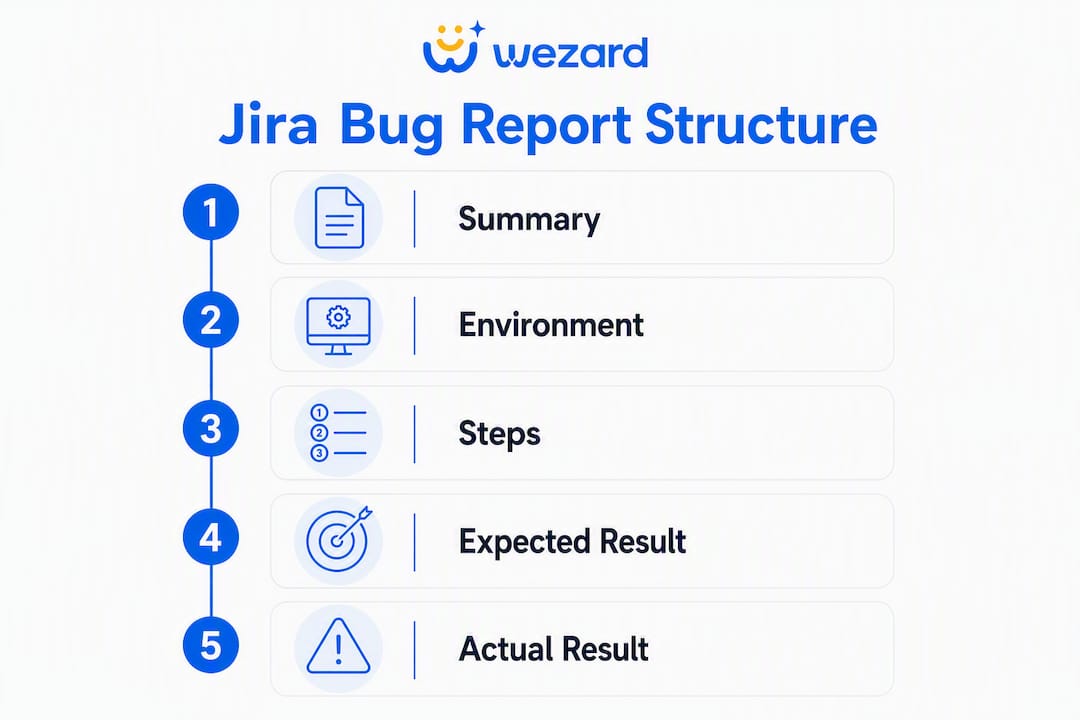
A five-section structure covers the vast majority of bugs your team will log. The three variants below scale that structure up or down based on context.
Minimal template
Use this for fast discovery tickets during exploratory testing. Fill in what you know, attach a screenshot, and flag it for triage.
**Summary:** [One-sentence description of the bug]

**Steps to reproduce:**
1. [Step 1]
2. [Step 2]

**Expected:** [What should happen]
**Actual:** [What actually happened]

**Environment:** [OS / Browser / Build]
**Attachment:** [Screenshot link or attached file]
Standard template (recommended)
The right choice for most QA-reported and developer-reported bugs. Covers every field a dev needs without requiring a full incident report.

**Summary:** [Concise, searchable title]

**Description:**
[One sentence of context — what were you doing when this happened?]

**Steps to reproduce:**
1. [Start from a known state, e.g., "Log in as a standard user"]
2. [Action]
3. [Action]
4. [Observed result]

**Expected result:** [What the system should do]
**Actual result:** [What the system actually does — include exact error text if any]

**Environment:**
- OS: [e.g., macOS 14.4]
- Browser / App: [e.g., Chrome 124, iOS app v3.2.1]
- Build / Release: [e.g., staging build #4821]
- Environment type: [Production / Staging / Dev]

**Severity:** [Critical / Major / Minor / Trivial]
**Priority:** [High / Medium / Low]
**Component:** [e.g., Authentication, Checkout, API]
**Customers impacted:** [Number or account names if known]

**Date / time observed:** [e.g., June 14, 2026, 2:30 PM ET]
**Attachments:** [Screenshot, video, or log file]
**Reporter:** [Name and contact or session link]
Detailed template
Reserve this for production incidents, complex multi-step flows, or any bug where a developer will need logs, test data, and regression context to reproduce it reliably.
**Summary:** [Concise, searchable title]

**Description:**
[Two to three sentences: what happened, who is affected, and what the business impact is]

**Steps to reproduce:**
1. [Preconditions: test account, feature flag state, data setup]
2. [Step]
3. [Step]
4. [Observed result]

**Expected result:** [Exact expected behavior]
**Actual result:** [Exact actual behavior — paste error message verbatim]

**Environment:**
- OS: [e.g., Windows 11 22H2]
- Browser / App: [e.g., Firefox 126, Android app v5.0.3]
- Build / Release: [e.g., production release 2026.06.14]
- Environment type: [Production / Staging]
- Feature flags active: [List any relevant flags]

**Severity:** [Critical / Major / Minor / Trivial]
**Priority:** [High / Medium / Low]
**Component:** [Module or service]
**Customers impacted:** [Accounts, user count, or segment]

**Date / time observed:** [Timestamp with timezone]
**Logs:** [Paste relevant log snippet or attach log file]
**Session link:** [Screen recording or session replay URL]
**Test data used:** [Account credentials, dataset, or seed state]
**Regression notes:** [Was this working before? Last known good build?]
**Suggested fix area:** [Optional — component or code path if known]
**Attachments:** [Screenshots, video, HAR file]
**Reporter:** [Name, team, and contact]
Which template fits your situation?
| Context | Template | Why |
|---|---|---|
| Quick exploratory find, low severity | Minimal | Speed matters; triage fills gaps later |
| Standard QA or dev-reported bug | Standard | Covers all reproduction fields without overhead |
| Production incident or complex flow | Detailed | Logs, session links, and regression notes are critical |
| Agile sprint bug during UAT | Standard or Detailed | Depends on severity and customer impact |
How do you make a Jira bug report template reusable?
Jira does not natively support complex, multi-field reusable issue templates. You have three practical paths, and the right one depends on your team size and governance needs.
Option A: Manual paste and team conventions
Best for teams under 15 people or a single project.
- Copy the Standard template into a shared doc (Confluence page, Notion, or a pinned Slack message).
- Add a link to that doc in your project’s “Getting started” section or Jira project description.
- Instruct reporters to copy the template before opening a new issue.
- Set a triage rule: any bug missing Environment or Steps gets a comment requesting the fields before it moves to In Progress.
No admin changes needed. Works immediately. The downside is that compliance depends on team discipline, not enforcement.
Option B: Jira Automation rule
Works for single-project teams that want light enforcement without installing an app.
- Go to Project Settings → Automation → Create rule.
- Set the trigger: Issue created.
- Add a condition: Issue type = Bug.
- Add an action: Edit issue → Description and paste your Standard template text.
- Save and enable the rule.
The catch: Jira Automation applies the description after the issue is created, so the reporter sees a blank create form and may submit before the template populates. Add a team note to refresh the page after creating a bug, or use a required-field validator to catch incomplete submissions.
Option C: Atlassian Marketplace template apps
The right choice for multi-project governance, dynamic variables, or hierarchical issue structures.
- Marketplace apps like Issue Templates for Jira pre-fill the create screen before the reporter types anything, which closes the gap that Automation leaves.
- They support dynamic variables (auto-insert reporter name, date, project key), subtask creation, and template libraries shared across projects.
- Governance controls let you restrict who can edit templates, which matters when you have multiple teams using the same structure.
Rollout recommendation: Pilot the Standard template in one project using manual paste. After two sprints, measure how often triage asks for missing fields. If compliance is high, stay with manual paste. If it is low, move to Automation or a Marketplace app. Expand to other projects only after the format is stable.
- Governance checklist: assign one template owner per project, review field usage quarterly, and retire fields no one fills in.
Automation recipes and Marketplace app workflows you can copy
Jira Automation recipe: set description and default priority
Trigger: Issue created
Condition: Issue type = Bug
Actions:
- Edit issue → Description → paste Standard template
- Edit issue → Priority → set to “Medium” (reporters can override)
- Edit issue → Labels → add “needs-triage”
This gives every new bug a starting point and routes it to the triage queue automatically.
Automation recipe: route by component
Add a second condition block: if Summary contains “API” or “backend,” set Component to “Backend Services” and assign to the backend triage lead. Repeat for “UI,” “mobile,” and so on. This saves the triage step of manually routing tickets.
Marketplace app workflow: Epic with prefilled bug subtasks
For complex incident reports, Marketplace apps can auto-create subtasks when a parent issue is created. Example: create a “Production Incident” Epic and the app automatically generates three linked bugs (Frontend, Backend, Data) each pre-filled with the Detailed template. This is useful for incident response where multiple teams investigate in parallel.
Table rendering workaround
Jira Cloud’s description field has limitations for rendering tables when set via Automation. If your template uses a table for environment details, switch to a plain-text block format (the bullet list style in the Standard template above) or use a custom paragraph field with Wiki-style rendering. Marketplace apps handle this more cleanly because they render the template before the reporter submits.
Pro Tip: Test your Automation rule in a sandbox project before enabling it in production. Create three test bugs and confirm the description populates correctly and the labels apply as expected.
Best practices for reproducible bug reports and mistakes to avoid
What makes a bug report actually useful
- Write the summary as a search query. “Checkout button disabled after applying promo code on iOS 17” is findable. “Button issue” is not.
- Number every step and start from a clean state. “Go to checkout” is ambiguous. “Log in as test user, add one item to cart, navigate to /checkout” is not.
- Paste the exact error message verbatim. Paraphrasing error text is one of the most common ways to send a developer to the wrong place.
- Include a timestamp. Correlating a bug with a deployment or a log entry is much faster when you know it happened at 3:47 PM ET on a specific date.
- Label the environment clearly: production, staging, or dev. A bug on staging may already be fixed in production, or vice versa.
- Attach a short screen recording when steps are hard to describe. Context from recordings and logs gives developers deterministic clues that screenshots alone miss.
Common mistakes that create triage loops
- Vague summary — forces the reviewer to open the ticket just to understand what it is about.
- Missing environment — the single most common cause of “cannot reproduce.” Requiring OS, browser version, and app build in the Environment field is the most effective single fix.
- No attachments — a bug with no screenshot or log forces the developer to reproduce it blind.
- Root-cause speculation in the initial report — “I think the API is returning null” belongs in a comment after investigation, not in the description. It can send developers down the wrong path.
- One ticket for multiple bugs — each distinct defect gets its own issue. Bundled bugs are harder to prioritize, assign, and close.
Enforcement tips
Make Environment a required field on the Bug issue type. Use a triage template for follow-up fields when a reporter misses something. Review field usage every quarter and retire any field that fewer than half of reporters fill in.
Pro Tip: Run a 15-minute team session showing a “before and after” bug report side by side. Teams that see the difference in triage time adopt the template faster than teams that just receive a policy email.
Pre-submit checklist for reporters and triage checklist for reviewers
Reporter checklist: before you submit
- Is the summary specific enough to search for this bug six months from now?
- Do the steps start from a known state and follow a numbered sequence?
- Are expected and actual results stated as separate, clear lines?
- Is the environment block complete (OS, browser/app version, build, environment type)?
- Is at least one attachment included (screenshot, video, or log)?
- Is the timestamp recorded (date, time, and timezone)?
- Is the number of users or accounts impacted noted?
- Is the bug reproducible? If intermittent, is the reproduction rate noted (e.g., “3 of 5 attempts”)?
- Is a session link or screen recording URL included if available?
- Is your name and contact information in the Reporter field?
Reviewer triage checklist
- Confirm severity matches the described impact.
- Verify the environment block is complete; request it if missing before moving the ticket forward.
- Assign an owner or route to the correct component team.
- Link to any related issues or duplicates.
- Schedule for the current sprint (hotfix) or next sprint based on severity and customer impact.
Why structured reports reduce “cannot reproduce” outcomes
Missing environment fields drive the majority of “cannot reproduce” results. Making Environment mandatory is the fastest single fix, but it only solves part of the problem. A reporter can fill in every field correctly and still produce a ticket that a developer cannot reproduce, because static fields miss the sequence of micro-interactions that led to the bug.
Screen recordings and real-time transcripts give developers a deterministic path to reproduction that a screenshot cannot. When a reporter records their session, the developer sees the exact click sequence, the network state, and the timing, not just the end state. That context cuts the reproduction loop from days to minutes.
The integration pattern that works best follows four steps: capture first (record the session and generate a transcript), auto-populate the template fields from the recording metadata, run AI duplicate detection before the ticket reaches the backlog, and push to Jira only when the minimum required fields are met. This approach means developers receive tickets that are already enriched, deduplicated, and complete.
Duplicate bug reports are a separate but related problem. Without detection at intake, the same defect can appear in the backlog three or four times under different summaries, each consuming triage time. AI-powered duplicate detection at the point of submission, before the ticket is created, eliminates that overhead.
Bug reports also serve a purpose beyond the immediate fix: they become regression evidence and stakeholder documentation. A backlog of consistently structured issues is a searchable history of your product’s defect patterns, which informs sprint planning, release decisions, and long-term quality metrics.
Pro Tip: When you adopt screen recording as part of your bug intake, set a maximum clip length of 90 seconds. Longer recordings slow down review; shorter ones often miss the lead-up steps. Ninety seconds covers almost every reproducible bug sequence.
Key Takeaways
A complete Jira bug report template requires at minimum a specific summary, numbered steps, expected vs actual results, a full environment block, and at least one attachment before it is ready for developer triage.
| Point | Details |
|---|---|
| Use the Standard template by default | It covers all reproduction fields without the overhead of a full incident report. |
| Make Environment mandatory | Missing OS, browser, and build data is the leading cause of “cannot reproduce” outcomes. |
| Match template depth to context | Minimal for quick finds, Standard for most bugs, Detailed for production incidents. |
| Choose the right implementation path | Manual paste for small teams; Jira Automation for single-project defaults; Marketplace apps for multi-project governance. |
| Wezardapp auto-populates templates | Wezardapp records the session, transcribes the issue, detects duplicates, and pushes a complete ticket to Jira in one workflow. |
The rollout mistake most teams make
Most teams introduce a bug report template by sending a Confluence page and calling it done. Two weeks later, half the tickets still arrive with “steps: click the button.” The template exists; the behavior hasn’t changed.
The fix isn’t a better template. It’s a better rollout. Pilot in one project, with one team, for two sprints. Count how many triage questions that team generates before and after. When the number drops, you have proof that works better than any policy document. Then you automate or install a Marketplace app, and you expand.
The governance question that almost no one answers upfront: who owns the template? Not “who approved it” but who updates it when a new field becomes relevant, who retires fields nobody fills in, and who runs the quarterly review. Without a named owner, templates drift. Fields get added, never removed, and reporters start skipping the ones that feel irrelevant. Assign one person per project. Put the review on the calendar. That’s the whole governance model.
One more thing worth saying plainly: the Detailed template is not the “better” template. It’s the right template for a specific situation. Forcing every reporter to fill in regression notes and feature flag states for a minor UI glitch creates friction that drives people back to writing “button broken.” Match the template to the severity, and your reporters will actually use it.
Wezardapp auto-fills your Jira bug report template for you
Filling in a template manually works. Filling it in automatically, from a recorded session, works better and takes less time.

Wezardapp records your screen, transcribes the issue in real time, and uses AI to detect duplicate tickets before they reach your Jira backlog. Reporters capture a session, describe the bug by voice or text, and Wezardapp populates the Standard or Detailed template fields automatically: environment, steps, expected vs actual, and a session link. The AI duplicate check runs before submission, so your backlog stays clean.
The workflow is straightforward: capture the session in Wezardapp, review the auto-populated fields, confirm no duplicates, and push the validated ticket directly to Jira in one click. No copy-pasting, no missing environment fields, no duplicate triage.
If your team runs user acceptance testing, Wezardapp’s UAT bug reporting and tracking fits directly into that workflow. Start a free trial or request a demo at wezardapp.com/bug-tracking.
Useful sources and further reading
- Issue Templates in Jira: Guide 2026 — Atlassian Community
- Jira Bug Template: Reusable Bug Report for Jira — Jira Templates
- Issue Templates for Jira — Atlassian Marketplace
- How to Add Tables in Jira Default Description (Cloud) — Atlassian Support
- How to Write a Good Bug Report — GeeksforGeeks
- Bug Writing Guidelines — Mozilla Bugzilla
- Why Structured Bug Reports Speed Up Fixes — Wezardapp
- Why Duplicate Bug Reports Exist: A Team’s Guide — Wezardapp
- Jira Bug Tracking, Automated: Report and Sync Bugs in 1 Click — Wezardapp


