Use this UAT stakeholder communication checklist to align testers, speed defect resolution, and get a documented, evidence-based sign-off. The short version: name one communication owner, fix your channels and cadence before testing starts, and standardize how defects get reported so triage doesn’t turn into a guessing game. Guidance like IEEE 829 on test documentation and the ISTQB tester competency framework both back the same idea: structure beats improvisation once real users start finding real problems. Wezardapp builds toward that structure by recording sessions and transcribing issues as they happen.
Copy these three items into your kickoff notes today:
- Ownership: One UAT coordinator or business analyst owns communication end to end, not “whoever’s free.”
- Channels and cadence: Pick one primary tool (Jira, Azure DevOps, or a shared tracker) plus one chat channel (Slack or Microsoft Teams) for daily updates, and set a fixed cadence, typically a daily triage and a weekly sponsor summary.
- Defect standard: Every report needs steps to reproduce, expected versus actual result, environment, and a duplicate check before it hits the backlog.
Key Takeaways
A UAT stakeholder communication checklist works when it assigns one communication owner, fixes channels and cadence in advance, and standardizes defect reporting before testing begins.
| Point | Details |
|---|---|
| Name one owner | A single UAT coordinator prevents communication gaps between testers, sponsors, and IT. |
| Standardize defect fields | Reproduction steps, environment, and evidence cut triage time and duplicate confusion. |
| Match message to audience | Business users need plain language; IT needs technical detail; vendors need scoped requests. |
| Document the sign-off | Pass/fail summary, open defects by severity, and residual risk make acceptance auditable. |
| Automate evidence capture | Wezardapp records and transcribes defect reports and flags duplicates before they hit Jira or Azure DevOps. |
Table of Contents
- What Should UAT Communication Actually Achieve?
- Who Should Own UAT and Who Just Supports It?
- The Stakeholder Communication Checklist, Step by Step
- Getting Testers Ready Before UAT Begins
- How to Run UAT Sessions Without Losing the Thread
- A Workflow for Feedback, Triage, and Duplicate Defects
- Turning Test Results Into a Formal Sign-Off
- Which Tools Actually Reduce Communication Friction?
- Onboarding New Stakeholders Into the Process
- When Stakeholder Feedback Conflicts, Who Decides?
- Adjusting Your Message for Different Stakeholder Groups
- Managing Expectations Without Overpromising
- Making Feedback Capture and Duplicate Detection Effortless
- Frequently Asked Questions
- Sources
What Should UAT Communication Actually Achieve?
UAT communication has one job: turn scattered tester feedback into evidence a sponsor can act on. That means three things happen at once. Business users confirm the system works the way the requirements said it would, the project generates a paper trail auditors or leadership can review later, and every defect gets traced from report to resolution without anyone losing context.
Get this wrong and rework piles up fast. A defect logged with vague notes (“checkout is broken”) sends a developer chasing the wrong bug for a day. A tester who doesn’t know who owns triage sits on a blocker instead of flagging it. ModernAnalyst’s manager’s guide to UAT frames this plainly: UAT exists to prove the system against business requirements, not to re-run system testing with different people in the room.
Communication goals worth writing down before UAT starts:
- Confirm the system meets business requirements, not just technical specs.
- Produce a defensible record for governance or audit purposes.
- Keep every defect traceable from first report to final retest.
Pro Tip: If your UAT plan doesn’t name a communication cadence in writing, assume it won’t happen once testers hit their first blocker.
Who Should Own UAT and Who Just Supports It?
Business-led testing means the people who’ll actually use the system make the accept or reject call, not the developers who built it. April9’s guidance on enterprise UAT puts it directly: end users, process owners, and the sponsor belong in UAT, while development stays in a support role, fixing what testing surfaces rather than deciding what passes.
That split matters because developers testing their own work tend to validate what they built, not what the business actually asked for. A simple RACI clears up who does what:
- Sponsor: Accountable for the final go or no-go call.
- Product owner: Responsible for prioritizing defects and confirming scope.
- Business users/SMEs: Responsible for executing test scripts and reporting issues.
- UAT coordinator: Responsible for scheduling, communication, and status reporting.
- Business analyst: Consulted on acceptance criteria and defect clarification.
- QA facilitator: Consulted on test case design and environment readiness.
- Developers: Informed, and consulted only during triage for technical feasibility.
Pro Tip: When feedback conflicts, the product owner rules on priority and the sponsor rules on acceptance. Nobody else gets a tiebreaker vote.
The Stakeholder Communication Checklist, Step by Step
This is the working checklist. Copy it into your project plan, adapt the names to your organization, and use it as the backbone of every UAT cycle.
Pre-UAT alignment
- Confirm scope and acceptance criteria in writing and get sponsor sign-off before test scripts go out.
- Define entry and exit criteria so everyone agrees what “done” looks like.
- Build a stakeholder roster with names, roles, and contact channels.
- Publish a schedule with expected time commitment per stakeholder group, usually 3 to 8 hours per week for business testers during an active cycle.
Communication plan
- Primary channel for defect tracking: Jira, Azure DevOps, or an equivalent backlog tool.
- Daily channel for quick questions and blockers: Slack or Microsoft Teams.
- Status cadence: a 15 minute daily triage plus a weekly sponsor summary email.
- Escalation path: tester flags to coordinator, coordinator escalates unresolved blockers to sponsor within 24 hours.
Standard defect report fields
A defect report that skips fields wastes everyone’s time re-asking questions. Require these on every ticket:
- Test case ID
- Steps to reproduce
- Expected result versus actual result
- Environment and browser or device details
- Screenshots, screen recordings, or voice notes
- Priority and severity
- Duplicate-check status
TestFiesta’s UAT checklist makes the same point from a different angle: centralized test management and structured templates are what prevent vague, unusable feedback from clogging the backlog.
Triage and sign-off
- Run triage daily during active testing; critical defects get a response within one business day, minor ones within three.
- Hand off ownership clearly at each triage: who fixes it, who retests it, who closes it.
- Before sign-off, verify every exit criterion, document unresolved defects by severity, and record a risk acceptance decision for anything left open.
- Route the final sign-off document to the sponsor, product owner, and UAT coordinator for formal, dated approval.
| Point | Details |
|---|---|
| Ownership first | Name one UAT coordinator before writing a single test script. |
| Standard fields, no exceptions | Every defect report needs reproduction steps, environment, and evidence. |
| Daily triage beats weekly cleanup | Short daily check-ins catch blockers before they stall a whole test cycle. |
| Sign-off needs a paper trail | Document open defects, residual risk, and sponsor approval in one artifact. |
Pro Tip: Draft your sign-off template on day one of planning, not the day you need signatures. It forces you to define exit criteria early instead of negotiating them under deadline pressure.
Getting Testers Ready Before UAT Begins
Nothing wastes stakeholder goodwill faster than a tester who logs in on day one and can’t access the system. Readiness has three layers, and skipping any one of them costs you testing days you won’t get back.
Environment and access:
- Confirm a production-like environment with realistic, seeded test data.
- Set up test accounts with correct permissions and SSO configured in advance.
- Verify access to the defect-reporting tool and confirm it’s already wired into Jira or Azure DevOps.
Tester preparation:
- Run a kickoff briefing that walks through scenarios, not just tool logins.
- Do a dry-run of at least one test script together so everyone sees what “expected evidence” looks like.
- Set the evidence bar explicitly: screenshots at minimum, screen recordings or voice notes for anything ambiguous.
Give environment and data provisioning a lead time of at least three to five business days before testing starts. Teams that skip this buffer routinely lose the first two days of a UAT cycle to access tickets and broken test data, which is the single most avoidable failure in the whole process.
Pro Tip: Send the environment access checklist to IT a full week before UAT kickoff. Access requests always take longer than anyone plans for.
How to Run UAT Sessions Without Losing the Thread
A UAT session runs better when it follows a script, not a vibe. The facilitator opens each scenario by stating the goal and the expected result, then lets the tester work while someone else takes notes. That split matters: the person testing shouldn’t also be the person documenting, because you lose detail every time.
Session logistics that keep things tight:
- Timebox each scenario, typically 20 to 30 minutes including discussion.
- Confirm the attendee list in advance so no session waits on a missing SME.
- Record the session by default; a screen recording settles more disputes than a written note ever will.
- Assign note-taking to someone who isn’t also driving the test script.
Keep developers on-call, not in the room leading discussion. Their job during a session is answering a technical question when the coordinator escalates a blocker, not steering what counts as a defect. That boundary is what keeps UAT business-led instead of quietly turning back into developer-led testing.
Facilitation script, reusable across sessions:
- State the scenario and business goal.
- State the expected result before the tester acts.
- Capture the actual result with evidence attached.
- Log immediately, don’t wait until end of session to write anything up.
Pro Tip: Lock the meeting agenda 24 hours ahead and send it with the test scripts attached. Sessions that start with “wait, what are we testing today” burn 10 minutes every single time.
A Workflow for Feedback, Triage, and Duplicate Defects
Every defect should move through the same five stages: report, triage, fix, retest, close. Skip a stage and you get defects that get “fixed” without anyone confirming the fix actually worked, which is how the same bug resurfaces in production three weeks later.
Priority and severity aren’t the same thing, and conflating them is a common mistake. Severity measures how broken something is; priority measures how urgently it needs fixing relative to the release timeline.
| Severity | Typical response | Blocks sign-off? |
|---|---|---|
| Critical (data loss, blocking workflow) | Triage same day, fix within one business day | Yes, always |
| High (major function impaired, workaround exists) | Triage within 1 business day | Usually, unless a documented workaround exists |
| Medium (minor function issue) | Triage within 2 to 3 business days | No, tracked for post-release fix |
| Low (cosmetic, typo) | Batched for backlog review | No |
Duplicate defects are the quiet time sink of any UAT cycle. Two testers running similar scenarios will often report the same bug with different wording, and without a structured evidence trail, triage burns time confirming they’re the same issue. Attaching a test case ID, a screenshot, and a short recording to every report makes duplicate detection nearly instant instead of a 10-minute back-and-forth in the ticket comments.
Pro Tip: Assign one person to scan new tickets for duplicates before the triage meeting starts. It turns a group discussion into a two-minute confirmation.
Turning Test Results Into a Formal Sign-Off
Sign-off isn’t a meeting where everyone nods. It’s a document. Before you call the cycle done, walk through every exit criterion from the original plan and confirm each one is either met or has a documented exception attached to it.
The sign-off artifact itself needs three things: a pass/fail summary by test case, a list of open defects sorted by severity, and a residual risk statement explaining what’s being accepted as-is and why. If a defect is being deferred to post-release, name the remediation plan and the owner, not just “will fix later.”
- Pass/fail count by scenario and by business area.
- Open defects listed by severity, each with a disposition (fix now, defer, accept risk).
- One paragraph naming residual risk and who accepted it.
- Signature line for the sponsor, dated.
| Point | Details |
|---|---|
| Exit criteria first | Check every criterion from the original plan before drafting sign-off language. |
| Residual risk needs a name | State what’s being accepted and who accepted it, not just a defect count. |
| Distribute widely | Send the signed artifact to the sponsor, product owner, and UAT coordinator at minimum. |
Which Tools Actually Reduce Communication Friction?
The right toolset for UAT communication covers four jobs: managing test cases, tracking defects, capturing evidence, and notifying people fast. Dedicated test management platforms like TestMonitor or Centercode handle structured test case management and stakeholder reporting well, particularly for larger programs running multiple test cycles in parallel. For defect tracking and backlog integration, most teams already run on Jira or Azure DevOps, and UAT tooling works best when it feeds directly into whichever one your engineering team already lives in.
Chat platforms round it out. Slack or Microsoft Teams handle the daily “is this blocking you” conversations that don’t belong in a formal ticket. The integration pattern worth building toward: defect reports auto-create backlog tickets in Jira or Azure DevOps, and triage updates post automatically to a Slack or Teams channel so nobody’s refreshing a dashboard to find out what changed.
Keep a shared template repository, whether that’s a wiki page, a shared drive folder, or a pinned message, so every stakeholder can find the current defect template, meeting agenda, and sign-off form without asking.
Pro Tip: When comparing tools, weigh evidence capture and duplicate detection as heavily as ticket management features. A tool that logs a defect but can’t tell you it’s the third report of the same bug just moves the triage bottleneck instead of removing it.
Why Business-Led Testing Beats Technical-Only Validation
Business-led UAT catches problems technical testing misses, because business users test against real workflows, not just written specs.
A system can pass every technical test case and still fail the business, because technical testers validate that code does what the specification says, not that the specification captures what the business actually needs.
ModernAnalyst’s guide recommends keeping UAT separate from development testing for exactly this reason. IEEE 829 supports the checklist’s defect fields by standardizing what a test record should capture, and FDA guidance on software validation reinforces why documented evidence matters most in regulated environments.
- Business users validate workflows; developers validate code against spec.
- The sponsor, informed by both, makes the final acceptance call.
Onboarding New Stakeholders Into the Process
Every UAT cycle eventually adds someone new, a business user pulled in mid-cycle, a vendor representative, a new hire replacing a departing SME. Without a short onboarding packet, that person either asks the coordinator the same five questions everyone already answered or, worse, skips steps because nobody told them the standard.
Build a one-page briefing document and keep it current. It should cover the communication channels in use, the defect report template with one filled-out example, the triage cadence and who attends, and a short glossary of any acronyms or internal terms the team uses. Attach the current meeting agenda template and a link to the shared repository where all UAT artifacts live.
A 15 to 20 minute walkthrough works better than a written document alone. Walk the new stakeholder through one real test case end to end: how to execute it, how to log a result, what evidence to attach, and who to contact if something’s unclear. This mirrors the kickoff dry-run every original tester should have gone through, so late joiners aren’t held to a different standard than the rest of the team.
Keep a standing slot in your weekly sponsor update for “new stakeholders this week,” even if it’s usually empty. It forces the coordinator to actually track onboarding instead of assuming word of mouth covers it, and it gives new participants a visible moment of introduction to the rest of the group.
When Stakeholder Feedback Conflicts, Who Decides?
Two business users will occasionally report the same feature two different ways: one says it’s broken, the other says it works as expected. This isn’t a testing failure, it’s a sign the requirement itself was ambiguous, and it needs to get resolved before it turns into a sign-off dispute.
Start by separating fact from opinion. If both testers ran the same scenario and got different actual results, that’s a reproducibility problem, worth a joint session to nail down the exact steps. If both got the same result but disagree on whether it’s acceptable, that’s a requirements or priority disagreement, and it belongs with the product owner, not the testers.
Route disputes through the RACI you already set up. The product owner rules on priority disagreements; the sponsor rules on whether a disputed item blocks sign-off. Document the resolution in the defect ticket itself, not in a side conversation that disappears from the record.
One habit prevents most disputes from escalating: when a defect report is ambiguous, ask for a screen recording before debating it in a meeting. A 30 second video usually settles “is this actually broken” arguments faster than any amount of written back and forth, and it keeps the conversation focused on evidence instead of who’s more persuasive in the room.
Adjusting Your Message for Different Stakeholder Groups
Business users, IT staff, and vendor representatives don’t need the same update, and sending all three the same email is a common way to lose people’s attention by the second week of testing.
Business users want plain language tied to their daily work: “the invoice approval workflow now handles multi-currency correctly” lands better than a ticket number and a status code. Keep updates to them short, scenario-based, and free of technical jargon, since their job is judging whether the system fits how they actually work, not diagnosing root cause.
IT and technical stakeholders want the opposite: environment details, error logs, ticket IDs, and technical root cause once it’s known. They’re consulted during triage, so give them enough detail to assess feasibility without making them sit through a full status meeting built for business users.
Vendor representatives sit in between. They usually need enough context to act (a clear defect description and reproduction steps) but shouldn’t be copied on internal prioritization debates that aren’t their call to make. Keep vendor communication contained to defects that are actually theirs to fix, routed through one point of contact rather than an open channel everyone can post in.
Managing Expectations Without Overpromising
The biggest expectation-management failure in UAT isn’t a missed deadline, it’s a sponsor who assumed “testing” meant “the system is basically done” walking into a review with a long defect list. That gap gets built early, usually in the kickoff meeting, when nobody states plainly what UAT is and isn’t going to prove.
Set the frame at kickoff: UAT validates business fit, not code quality, and finding defects is the expected outcome of a healthy cycle, not a sign something went wrong. Share the entry and exit criteria in writing so “done” has a definition nobody can quietly renegotiate mid-cycle.
Weekly status updates should show trend, not just a snapshot. A defect count of 40 sounds alarming in isolation; a chart showing 40 dropping to 12 over two weeks tells the sponsor the process is working. Include a short note on anything at risk of missing the exit criteria, flagged early enough that it’s a conversation, not a surprise at sign-off.
Finally, protect the time commitment you asked for at the start. If business testers agreed to five hours a week and the cycle demands ten, say so immediately rather than letting frustration build silently until someone drops out mid-cycle.
What Experienced UAT Coordinators Do Differently
Coordinators who run smooth cycles tend to share a few habits: a daily triage standup no longer than 15 minutes, a dry run of test scripts before real testers touch them, and a hard rule that no defect gets logged without a screenshot or recording attached.
One habit prevents more chaos than any tool: locking the meeting agenda 24 hours ahead so nobody shows up unsure what’s being tested. Teams that skip this often spend the first ten minutes of every session figuring out scope instead of testing it, which compounds into lost days across a multi-week cycle.
Making Feedback Capture and Duplicate Detection Effortless
The checklist above works whether you run it on a spreadsheet or a dedicated platform, but the manual version has a real cost: someone has to type up every defect report by hand, and duplicate detection depends on a person remembering they saw something similar three days ago.
Wezardapp closes that gap by recording the tester’s screen and transcribing the issue in real time as they describe it, so the reproduction steps and expected-versus-actual details land in the report without anyone typing a summary after the fact. Its AI duplicate detection flags matching tickets before they reach your Jira or Azure DevOps backlog, which solves exactly the triage bottleneck described above, where two testers report the same bug in different words.

For teams building out the sign-off checklist from this article, pairing it with clear acceptance testing entry criteria makes the whole cycle easier to defend later, since evidence and criteria live together instead of scattered across email threads. If you’re setting up a new UAT cycle this quarter, start by mapping your current defect template against Wezardapp’s voice and video-based ticket creation to see where the manual steps disappear.
Frequently Asked Questions
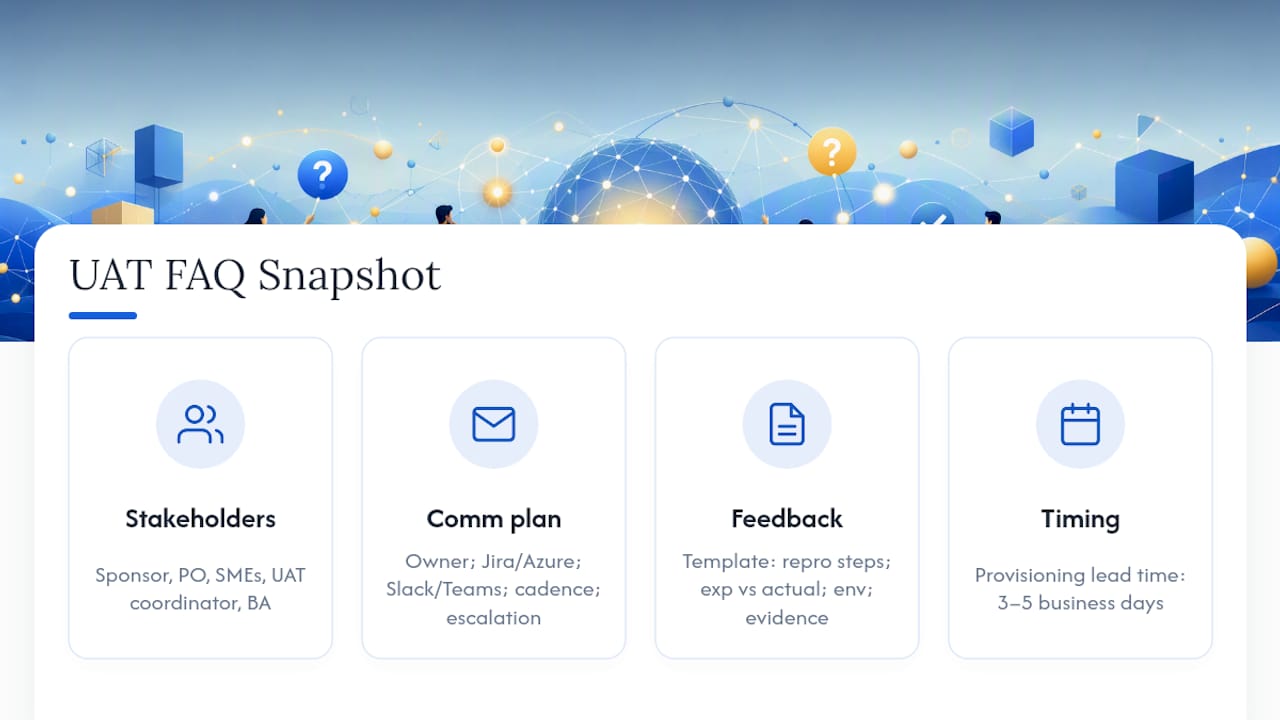
Who are the key stakeholders in UAT?
The core group includes the project sponsor, product owner, business users or subject matter experts, the UAT coordinator, and a business analyst supporting acceptance criteria. Developers and QA facilitators support the process but shouldn’t make the accept or reject call themselves.
What should a UAT communication plan include?
At minimum, it needs a named communication owner, a primary defect-tracking channel like Jira or Azure DevOps, a daily chat channel such as Slack or Microsoft Teams, a fixed status cadence, and a documented escalation path for blockers.
How do you collect UAT feedback effectively?
Use a standardized defect template with reproduction steps, expected versus actual results, environment details, and attached evidence like screenshots or screen recordings. Centralizing reports in one tool, rather than scattering them across email and chat, is what actually prevents lost context.
How long does a typical UAT cycle take?
Most cycles run over a period that depends on scope, with business testers typically committing a moderate amount of their weekly working hours. Environment and test data provisioning needs three to five business days of lead time before testing starts.
What belongs in a UAT sign-off document?
A pass/fail summary by test case, a list of open defects sorted by severity with a disposition for each, a residual risk statement, and a dated signature from the sponsor confirming formal acceptance.
Sources
For deeper reference or downloadable structure, these sources back the checklist above:
- A Manager’s Guide to User Acceptance Testing — ModernAnalyst
- IEEE 829 test documentation standard — IEEE
- General Principles of Software Validation — FDA
- Certified Tester Foundation Level — ISTQB