The fastest way to streamline UAT is to pair frozen scope and entry criteria with scenario driven test cases, scheduled observed sessions, fast triage SLAs, and automated evidence capture. Anchoring cases to acceptance criteria instead of UI clicks cuts false positives, and light automation, including screen recording with AI transcription like Wezard’s evidence capture, removes most of the manual documentation work that stalls sign-off.
TL;DR:
- Confirm scope is frozen and entry criteria are met before starting UAT to prevent mid-session changes that cause delays.
- Map actual user workflows and write scenario-based test cases in plain language, focusing on business outcomes rather than UI details.
- Ensure a stable environment with masked, up-to-date data before testing begins, to avoid environment-related inconsistencies.
- Use automated evidence capture tools and AI transcription to reduce manual documentation and speed up defect reporting.
- Run daily triage with clear severity and ownership for issues, aiming for same-day acknowledgment of critical findings and quick fixes.
Table of Contents
- What Does It Mean to Streamline UAT?
- How Do You Streamline UAT in Five Steps?
- Common UAT Challenges and How to Neutralize Them
- Planning UAT: Entry Criteria, Scope, and the Evidence Pack
- How Do You Write UAT Test Cases That Reduce Rework?
- Preparing Environment and Test Data for Realistic UAT
- Running UAT Sessions and Triage: Practical Routines
- Automation and AI Approaches That Speed Up UAT
- How Wezard Applies This Playbook in Practice
- Three Quick Wins Worth Trying First
- Wezard: Put This Playbook on Autopilot
- Sources
What Does It Mean to Streamline UAT?
User acceptance testing is the final checkpoint before release, where actual business users confirm the software does what the business needs it to do, not just what the spec said it should do. It runs after internal QA, functional testing, and integration testing are done. If UAT is catching bugs that a competent QA pass should have caught, the process is broken before it starts.
Streamlining UAT means removing the friction that turns a two-week validation window into a six-week fire drill: unclear scope, testers who need hand holding, documentation that takes longer to write than the bug took to find, and environments that behave differently every morning. The Attract Group UAT framework treats UAT as a gate with explicit entry and exit criteria, not an open-ended bug hunt, and that distinction drives most of the efficiency gains below.
Optimizing user acceptance testing isn’t about adding more tools. It’s about removing the steps that don’t need a human at all, and giving the humans who remain a tighter, business focused script to follow.
How Do You Streamline UAT in Five Steps?
Most UAT delays trace back to five recurring failure points. Fix these in order and the rest of the process tends to fall into place.
- Freeze scope and confirm entry criteria before you open the UAT window. Nothing wastes tester goodwill faster than testing a feature that changes mid-session. Lock the build, freeze the requirements, and confirm internal QA has already signed off, per the entry criteria guidance from Attract Group.
- Map the real user journeys, not the menu structure. Sit with two or three business stakeholders and list the actual workflows people run weekly: processing an order, approving an expense, closing a ticket. That list becomes your test case backlog.
- Write scenario based test cases in plain business language. Skip the click-by-click UI script. Describe the outcome a real transaction should produce.
- Prepare a stable environment and realistic (masked) data before day one. Testers should never spend the first hour of a session hunting for a customer record that actually exists.
- Run scheduled sessions with a same-day triage habit. Momentum dies when findings sit for a week before anyone looks at them.
Entry checks to run before opening UAT:
- Internal QA and integration testing signed off with no open critical or high severity defects.
- Test environment matches production configuration within a documented tolerance.
- Test data refreshed and masked, with known edge cases seeded.
- Named business testers confirmed with calendar time blocked, not just “available if needed.”
- Acceptance criteria for each in-scope feature documented and agreed with the product owner.
A reusable test case template keeps every tester writing findings the triage team can actually act on. Use these fields for every case:
- Scenario name: the business action being validated (e.g., “Apply a partial refund to a shipped order”).
- Tester role: the persona running the test (billing clerk, regional manager, new hire).
- Test data used: the specific account, order, or record referenced.
- Steps summary: three to five sentences, not a screenshot-by-screenshot script.
- Expected outcome: the business result, stated in one sentence.
- Evidence required: screen recording, transcript, or screenshot attached automatically.
Observed sessions, where a facilitator sits with two or three business testers at a time, work best for complex or unfamiliar workflows. Asynchronous testing, where testers log in on their own schedule and submit findings independently, works fine for repetitive or well understood cases. Most teams run a mix: observed sessions for the first day to catch confusion early, asynchronous for the remainder of the window.
Daily triage needs a fixed agenda: review every new finding, confirm severity versus business priority, assign an owner, and set a retest date. A workable SLA allows acknowledging a critical finding within a day and delivering a fix or workaround soon after for retest. Anything without an owner by the end of the meeting escalates automatically to the project manager.
Common UAT Challenges and How to Neutralize Them
Most UAT slowdowns aren’t UAT problems. They’re upstream problems that surface late. Incomplete system testing pushes basic defects into a phase meant for business validation. Shared or unstable environments mean a tester’s steps produce different results Tuesday than they did Monday. Stale or unrealistic test data means testers can’t run the scenarios that actually matter to the business.
The fix is shifting left: get business stakeholders mapping journeys during the design phase, not after the build is done, an approach Assurity’s human-centered UAT model argues reduces post-launch surprises because acceptance criteria get written before code, not retrofitted after.
Enabling business testers matters just as much as fixing environments. People who understand the business but not the software need scenario language and a low-friction way to report what they see, not a bug tracker interface built for engineers.
- Run a short test discovery pass to confirm scope before writing cases, an approach that Opkey’s UAT automation guidance recommends for narrowing focus to actual user actions instead of every theoretical path.
- Automate evidence capture (recordings, transcripts, screenshots) so testers spend their time testing, not writing reports.
- Assign a dedicated environment owner who refreshes data on a fixed schedule, not on request.
Pro Tip: If your UAT sessions keep surfacing bugs that internal QA should have caught, don’t tighten UAT. Tighten the exit criteria for the phase before it.
Planning UAT: Entry Criteria, Scope, and the Evidence Pack
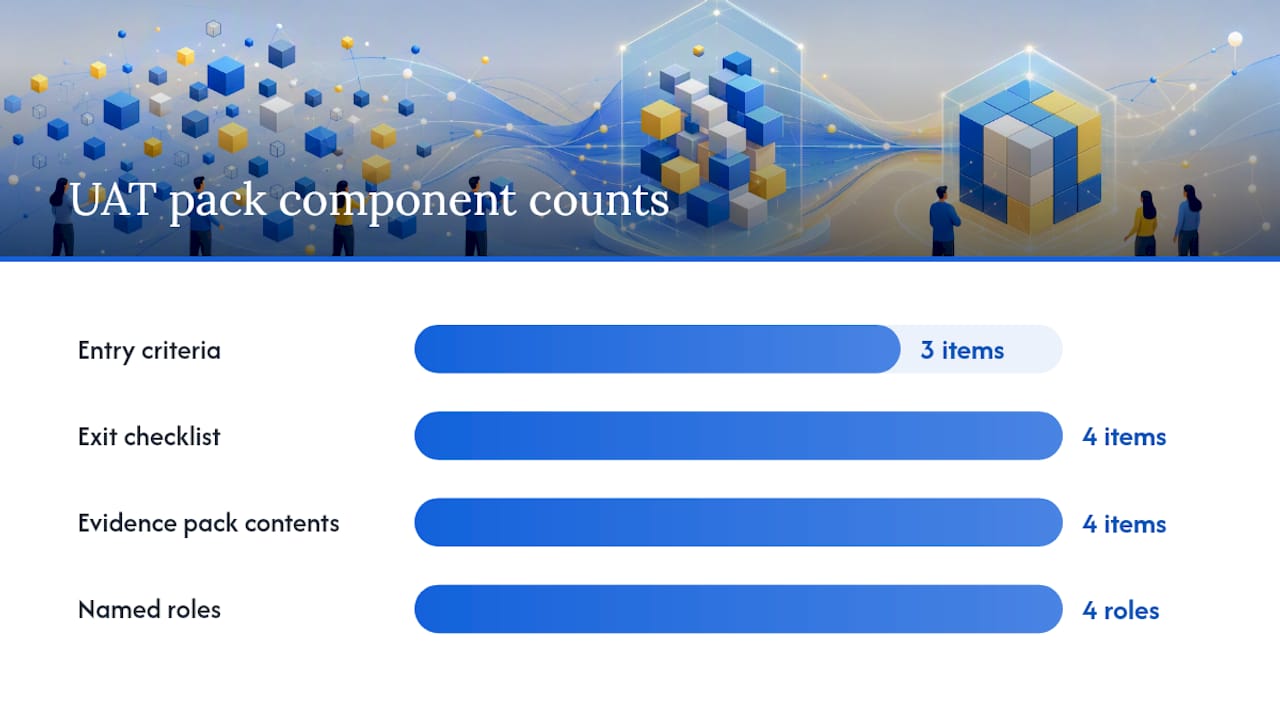
Before opening UAT, three things need to be true: internal QA is complete with no unresolved critical defects, test data is stable and representative, and scope is frozen in writing. Skipping any of these turns UAT into an extension of system testing, which is exactly what it’s supposed to prevent, according to the entry criteria framework Attract Group outlines.
Exit criteria need the same rigor. A workable checklist:
- All critical-path scenarios executed with a pass result recorded.
- No open critical or high severity defects; medium and low items logged with agreed workarounds.
- Evidence pack compiled and reviewed by the named approver.
- Business sign-off recorded with a date and named signatory.
The evidence pack itself is the artifact that prevents disputes six months later when someone asks “did we actually test this?” It should include the signed test case list, defect log with resolutions, screen recordings or transcripts for each critical finding, and the final sign-off document.
| Role | Responsibility | Triage decision authority |
|---|---|---|
| Business owner / sponsor | Approves scope, gives final sign-off | Final call on business priority |
| QA lead | Confirms entry criteria met, manages defect log | Confirms technical severity |
| UAT test lead | Runs sessions, coordinates testers | Assigns owners, sets retest dates |
| Developer / tech lead | Investigates and fixes defects | Confirms fix feasibility and timeline |
Wezard’s UAT checklist template gives teams a ready-made structure for this exact pack, so the sign-off document doesn’t get assembled from scratch under deadline pressure.
How Do You Write UAT Test Cases That Reduce Rework?
Good UAT cases read like a business scenario, not a UI walkthrough. “Log in, click the blue button, select the second dropdown option” tells nobody what business outcome is being verified, and it breaks the moment someone redesigns the button.
Use this structure for every case, drawn from Wezard’s test case writing guidance:
- Scenario: the business transaction or decision being validated.
- Role: the persona executing the test (not “tester,” an actual job function).
- Test data: the exact record, account, or dataset referenced.
- Steps summary: a short narrative, not a numbered click sequence.
- Expected outcome: what success looks like in business terms.
- Evidence required: recording, transcript, or attachment expected on submission.
Prioritize critical-path cases first: the transactions that generate revenue, satisfy a compliance obligation, or touch customer-facing data. A payroll run, an order-to-cash flow, a patient record update. Everything else can wait for a second pass if the window is tight.
Pro Tip: Write test cases around what the business needs to be true, not how the screen currently looks. A case tied to acceptance criteria survives a UI redesign; a case tied to button positions does not.
Preparing Environment and Test Data for Realistic UAT
UAT only proves what it claims to prove if the environment behaves like production. That means matching integrations, matching performance characteristics where feasible, and matching data volume closely enough that edge cases actually appear.
Test data needs masking for anything containing personal or financial information, paired with a refresh schedule so testers aren’t working against records someone else corrupted last week. A shared environment that changes underneath testers without notice is the single fastest way to destroy their confidence in the whole exercise; once a tester files a bug that “isn’t there anymore,” they stop trusting the environment for the rest of the cycle.
Pre-session checks worth running every time:
- Confirm the environment matches the intended build version, not an older or newer one.
- Verify seeded test accounts and records exist and match the scenarios planned for that session.
- Check integrations (payment gateways, third-party APIs) are pointed at test endpoints, not live ones.
- Run one smoke test through a critical path before testers log in.
Running UAT Sessions and Triage: Practical Routines
Choose observed sessions for complex or first-time scenarios, where a facilitator can catch confusion in real time. Choose asynchronous testing for repetitive or well-documented cases where testers can work independently on their own schedule.
Every finding needs the same metadata regardless of format: the screen where it occurred, a transcript or written description of what happened, the exact steps taken, and the environment and data used. Capturing this manually is where most UAT time evaporates; a screen recording paired with automatic transcription turns a fifteen-minute write-up into a two-minute submission.
- Facilitator opens the session and confirms which scenarios are in scope for that block.
- Testers work through assigned cases, flagging anything unexpected immediately rather than waiting until the end.
- Findings get logged with evidence attached at the point of discovery, not reconstructed afterward.
- Facilitator does a quick same-day scan to flag anything that blocks other testers.
Daily triage should resolve three things every time: technical severity (how broken is it), business priority (how much does it matter to the transaction at hand), and ownership (who fixes it and by when). Practitioner guidance on UAT triage recommends a same-day acknowledgment SLA for critical findings and a 48-hour fix-or-workaround SLA, which keeps sessions from stalling while a defect sits untouched.
- Severity and priority are not the same axis; a cosmetic bug on the CEO’s dashboard can outrank a backend error nobody sees.
- Every triage decision gets a named owner before the meeting ends.
- Retest dates get scheduled immediately, not “whenever it’s ready.”
Automation and AI Approaches That Speed Up UAT
No-code automation tools let business testers record a workflow once and replay it across regression cycles without writing a script. The limit is that no-code automation is best at repeatable, stable paths. It’s weaker on exploratory testing where the value is a human noticing something unexpected.
Test discovery tools scan actual usage patterns to identify which workflows matter most, narrowing UAT scope to real behavior instead of every theoretically possible path, an approach Opkey’s automation guidance frames as a direct fix for bloated test plans.
Screen recording paired with AI transcription turns a vague verbal bug report into a structured, timestamped ticket automatically, and AI-based duplicate detection stops the same issue from generating five separate tickets across a large testing group.
The more ambitious pattern is LLM-driven orchestration: Thoughtworks describes an approach where natural-language scenarios get translated into calls against modular, well-defined test functions, letting business users describe what they want tested in plain language instead of learning a scripting tool. This requires QA teams to first author those modular functions with clear inputs and outputs, so it’s a setup investment before it becomes a shortcut.
- Pilot any new automation on three critical-path cases before rolling it out team-wide.
- Measure time saved per cycle, not just adoption rate.
- Keep a human review step on anything the AI flags as a duplicate before closing a ticket.
Pro Tip: Don’t automate a broken process. Fix the scenario and entry criteria first, then automate the parts that are already working reliably.
How Wezard Applies This Playbook in Practice
Wezardapp was built around the exact bottlenecks this playbook targets. Testers record their screen and narrate the issue; AI transcribes it in real time and drafts a structured ticket automatically, cutting the documentation step that eats most UAT time. Before that ticket ever reaches a backlog, Wezard’s duplicate detection checks it against existing entries in Jira, Azure DevOps, or ServiceNow, so triage isn’t spent untangling five reports of the same bug.
Teams building out their own case library can start from Wezard’s test case writing guidance or browse how other teams structure sessions in the use case library.
Three Quick Wins Worth Trying First
Require evidence capture, a recording or transcript, on every single finding before it enters the backlog. Half of UAT rework comes from vague reports nobody can reproduce. Second, run one daily triage with a named decision authority and a real SLA; ambiguity about who decides is what stalls fixes. Third, pilot no-code automation on three critical-path cases before committing further. Small, fast proof beats a big automation rollout that nobody trusts yet.
— Marketing
Wezard: Put This Playbook on Autopilot
Wezardapp is the direct way to run everything above without adding headcount. Instead of testers typing up what went wrong, they record their screen and talk through it, and the AI transcription and duplicate detection turns that into a structured ticket in your backlog before triage even starts, no rewriting, no five duplicate reports of the same bug.

If entry criteria, evidence packs, and daily triage are the parts of UAT slowing your team down, start with a demo and see how tickets flow from screen recording straight into Jira or Azure DevOps without a manual write-up step. Book time with the Wezard team and bring one real UAT cycle to test it against.
Sources
- How can AI simplify and accelerate user acceptance testing | Thoughtworks United States
- User Acceptance Testing: UAT Plan, Test Cases, and Sign-Off Criteria | Attract Group